
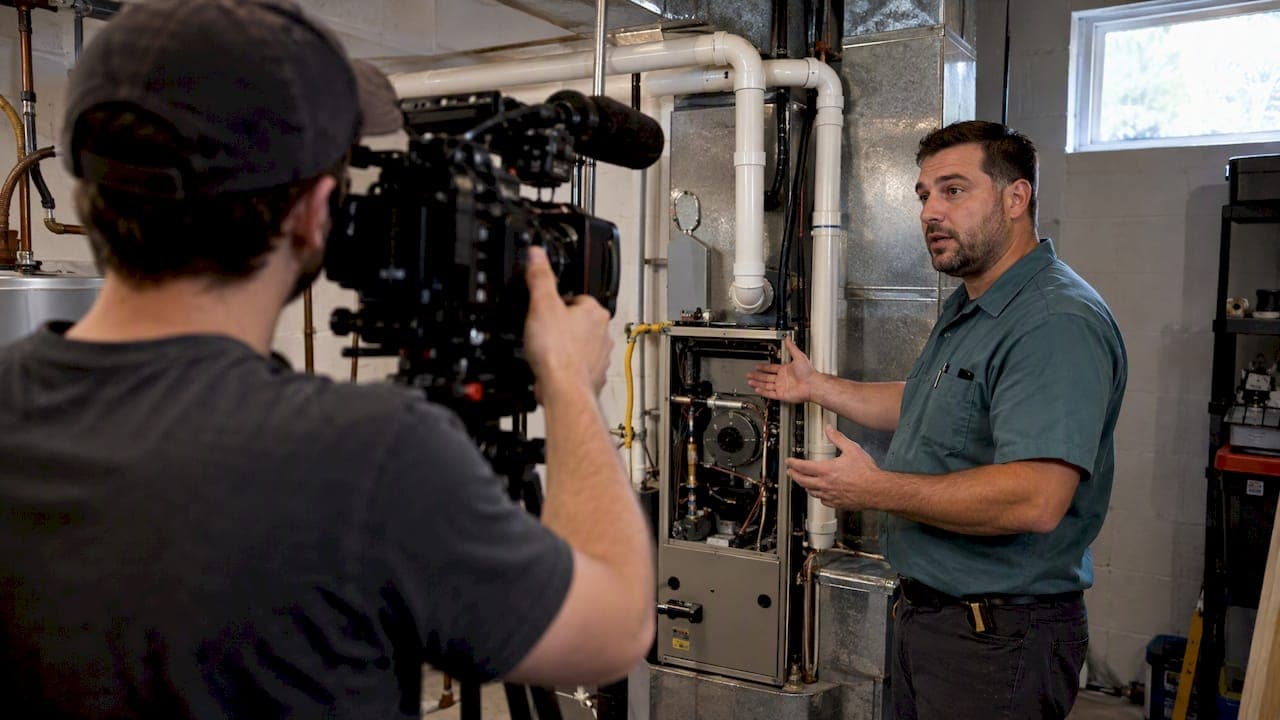
YouTube ads work for contractors when they do one job: put your company in front of homeowners in your service area before they need you, then make it easy to call when they do. They are a poor fit when you expect them to behave like search ads. Someone typing "AC repair near me" is ready to buy now. Someone watching a video on a Saturday is not, and your measurement has to account for that.
This guide covers what to run, how to target, how to bid, how to track calls that never involve a click, and where contractors get into legal trouble with testimonials. It is written for owners and marketing managers of established home service companies, not for one-truck operators testing a first budget.
TL;DR
- Use YouTube to build demand and retarget, and keep Google Search for people who are ready to call today. The two work best together.
- Pick the format by goal: skippable in-stream for qualified views and leads, bumper and non-skippable for reach.
- Count calls and engaged views, not only clicks. Without call tracking you will undercount what video does.
- Any customer testimonial in your ad has to reflect the typical experience, and the FTC holds advertisers to the overall impression.
- Fix the landing page and phone answering first. Video traffic is wasted if nobody picks up.
Table of Contents
- Where YouTube fits in a contractor's ad mix
- Choosing the right ad format
- Targeting homeowners, not everyone
- Bidding: match the strategy to the goal
- Measuring what video really does
- Make the landing page and phone do their part
- Testimonials in video ads: stay on the right side of the FTC
- Who should run YouTube ads, and who should wait
- Our perspective: video is a data problem before it is a creative problem
- What it costs to get set up with us
- A simple 30-day launch plan
- FAQ
- Sources
Where YouTube fits in a contractor's ad mix
Google's own help documentation describes Video campaigns as a way to reach people on YouTube, Google TV and Google video partners. For a contractor, that translates into three practical uses.
Awareness before the emergency. HVAC, plumbing, roofing and electrical work are often distress purchases. The company the homeowner already recognizes gets the first call. A short video that shows your crew, your trucks and your face builds that recognition at a low cost per impression.
Retargeting. People who visited your site or watched your earlier videos can see a follow-up ad. This is usually where video earns its keep, because the viewer already knows you and needs a reason to act.
Considered projects. Roof replacements, turf installs, remodels, panel upgrades and whole-home HVAC systems involve research and comparison. Video helps a homeowner feel they know the company before the estimate.
If you only have budget for one channel and no search campaigns running, start with search. Our guides on Google Ads for roofers and HVAC Google Ads for owners cover that foundation. Add YouTube once search is converting and tracked.
Choosing the right ad format
Google explains that video formats serve different funnel stages. Here is how that maps to a contractor.
| Format | How it works | Best contractor use |
|---|---|---|
| Skippable in-stream | The viewer can skip after 5 seconds | Lead generation, retargeting, service explainers |
| Non-skippable in-stream | Up to 30 seconds, no skip option | Brand reach in a tight service area |
| Bumper | 6 seconds, not skippable | Repeat reminders such as a seasonal tune-up message |
| In-feed and Shorts | Shown in discovery placements and short-form feeds | Quick tips and before-and-after clips |
The choice is tied to the campaign objective and bidding strategy you pick during setup, so decide the goal first and the format second.
A practical default for a home service company is skippable in-stream. The skip option sounds like a weakness, but it works as a filter: people who sit through your ad past the first 5 seconds are showing interest. Put the company name, the city and the service in the first five seconds, because many viewers will leave at that point. Do not save your offer for second 25.
What to say in the first five seconds
The strongest openings we see for home service ads name the place, the problem and the proof. For example: "If your furnace is making that noise in [city], here is what it usually means." Then show a technician, not a stock clip. Then end with one action: call this number or tap to request a visit.
Avoid a logo animation and a long intro. Nobody has asked to see them.
Targeting homeowners, not everyone
Google states that the ads people see on YouTube depend on factors beyond the video itself, including viewer information and activity. For a contractor, that means you are buying audiences more than you are buying specific videos.
Start with these:
- Geography. Restrict to the zip codes, counties or radius you actually serve. A video seen 40 miles outside your territory is a wasted impression.
- Custom segments. Build audiences from the search terms people use, such as "water heater replacement" or "roof leak repair," so you reach people who have shown interest in your service.
- Your own data. Website visitors and past customers can be used for retargeting or exclusion. Exclude current customers from acquisition campaigns.
- Demographics. Use them sparingly. Homeownership is what matters, and it is hard to target directly, so use messaging that speaks to owners.
One limit to know before planning: in video ad sequence campaigns, which let you show a series of videos in an order you define, keyword, placement and topic targeting are not available. You work with audience and demographic targeting set at the campaign level. Sequencing is useful for a multi-step story, such as intro, proof, offer, but you give up fine control.
Bidding: match the strategy to the goal
Your bidding options follow the objective you choose. According to Google's video campaign setup guide, conversion-focused goals such as sales, leads or website traffic can use automated strategies like Target CPA or Maximize Conversions. Awareness-focused goals can use cost-per-view bidding, where you pay when someone watches 30 seconds of the video (or the whole ad if it is shorter) or interacts with it, whichever comes first.
For most contractors:
- Start with a lead or conversion objective if you have call tracking and form tracking working. Automated bidding needs conversion data to learn from.
- Use CPV for awareness when you want people in your territory to know your name and your conversion volume is too low for automation.
- Do not judge awareness campaigns on cost per lead. Judge them on branded search growth, direct calls and how retargeting audiences perform.
On spend, we do not publish a universal YouTube budget, because the right number depends on your market size, your average ticket and how many jobs you can actually run. If you want a small, concrete starting point, our HVAC YouTube ads playbook walks through a $6 a day setup. A tight test in one service line and one territory teaches you more than a broad launch.
Measuring what video really does
This is where most contractors give up too early. Search conversions usually follow a click. Video conversions often do not.
Engaged-view conversions
Google built engaged-view conversions for this reason. People who watch a video ad often do not act right away, so Google counts a conversion when a viewer watches a set portion of the ad and later converts without clicking. If you only report on clicks, you will see video as expensive and unproductive when it may be influencing the call that arrives later.

Treat view-based conversions as a separate line in your reports, not as a replacement for click conversions. They tell you about influence. They do not prove that a specific ad caused a specific job.
Call tracking is not optional
Most contractor revenue comes by phone. Google explains that call conversion measurement can count a call in two ways: by analyzing call recordings with AI, or by counting calls longer than a minimum duration you set. Either way, set a duration that filters out wrong numbers and hang-ups, then pass the result back to Google Ads so bidding learns from real calls.
If you have not set up tracking yet, our guide to HVAC call tracking in one afternoon shows the steps, and the same logic applies to plumbers, roofers and electricians.
Close the loop with booked jobs
A call is not a job. Track which calls became booked appointments and which became paid work, then feed that back. Google's documentation notes that offline conversion data must be uploaded within a limited window, so build the habit of uploading weekly, not quarterly. Late uploads can be rejected even when your attribution window is longer.
The numbers to watch each month:
- Calls from video-influenced audiences
- Booked appointments per 100 calls
- Cost per booked job, not cost per view
- Branded search volume in your service area
Make the landing page and phone do their part
Video can send the right person to you and still lose the job in the next 60 seconds. Two failures are common.
The landing page does not match the ad. If the video promises a same-day water heater replacement, the page should open on that offer with a phone number and a short form, not your homepage. We cover this in our post on 3 to 7 day landing pages for contractors.
Calls go unanswered. Homeowners with a problem call the next company when yours goes to voicemail. Check your after-hours handling and your speed to answer before you add ad spend.
Offers also help. A clear, low-friction first step gives a viewer a reason to act now. Look at how an HVAC company can package a new customer special on repair with a specific dollar amount. That is the kind of concrete incentive a video can end on, as long as you can honor it and it fits your margins.
Testimonials in video ads: stay on the right side of the FTC
Customer stories are the strongest asset in a contractor video, and the easiest to get wrong.
The FTC's rule on consumer reviews and testimonials prohibits, among other things, buying or selling fake reviews and failing to disclose relationships between a company and the people endorsing it. The FTC's questions and answers on the rule explain that a testimonial is an advertising message consumers are likely to believe reflects a customer's real experience. Agencies can be held responsible too, not only the contractor.
In practice:
- Use real customers who actually hired you. Never script a fake one or use an actor presented as a customer.
- Disclose incentives. If you gave a discount or a gift card for the video, say so on screen.
- Do not feature only your best-case job. The FTC's guide for marketers is clear that a testimonial should reflect what a typical customer can expect, and a small "results may vary" line may not cure a misleading overall impression.
- Keep claims you can prove. If a customer says you saved them 40 percent on energy bills, make sure that is true for typical jobs or do not run it.
This is general information, not legal advice. If you run offers, financing claims or guarantees in your ads, have your attorney review them, especially in states with their own contractor advertising rules.
Who should run YouTube ads, and who should wait
Good fit:
- You already run Google Search and track calls
- You have capacity to take more jobs
- You can produce or commission real footage of your crew and work
- Your average ticket supports a longer path to purchase
Wait if:
- Your phones are not answered consistently
- You have no tracking
- You want leads this week on a very small budget
Trade matters too. An electrician can split video by service line, such as panel upgrades, EV chargers and rewiring, as we explain in our electrician YouTube ads post and in the piece on splitting electrician Google Ads by service line. A roofer may lean on storm-season retargeting. A landscaper or turf installer may use before-and-after footage.
Our perspective: video is a data problem before it is a creative problem
We work with home service companies every day, and the pattern is consistent. Owners blame the video when the real issue is that nobody can tell which video produced which call. Creative matters, but you cannot improve what you cannot see.
That is why we build our systems around the full path from ad to booked job. Our AI infrastructure is engineered in-house and runs on our own on-premise servers, rather than depending on third-party AI tools, so your call and lead data stays proprietary and secure. The automation and lead scoring are customized for home service workflows: which calls are real jobs, which are price shoppers, and which need a fast callback.
Our advice is simple. Start with one trade line and one territory. Track calls properly. Read the results after enough data has accumulated, not after a week. Then scale what produces booked jobs. You also get direct access to senior strategists, not a rotating account manager.
— Everson Gorski
What it costs to get set up with us
If you want this handled for you, our published pricing is straightforward. Google Ads Management and Meta Ads Management are each $1,500 per month. SEO & Content starts from $2,000 per month. On-Premise AI Dispatch is $1,000 per month, with a one-off AI Dispatch Setup fee of $7,500. CRM Integration starts from $3,000 one-off. For video production, a Half-Day Shoot is $2,500 one-off and a Full Production Day is $5,000 one-off.
For a full program, our plans start from $2,500 per month for Foundation, $7,500 for Growth, $15,000 for Scale and $25,000 for Enterprise. See the details on our pricing page, or look at our services if you want to see how lead generation, CRM automation and strategy fit together. For the ad management side specifically, read about our Google Ads management for home service businesses.
Our work is built for home service companies with at least $500K in annual revenue.
A simple 30-day launch plan
- Week 1: tracking. Set up call tracking, form tracking and conversion actions. Confirm a test call shows up in Google Ads.
- Week 1: assets. Film two or three short clips: a technician explaining one common problem, a crew at work, and a real customer (with permission and disclosure). Cut a 15 to 30 second version.
- Week 2: launch. Run one skippable in-stream campaign limited to your service area, with one landing page and one offer.
- Week 3: retargeting. Add an audience of site visitors and video viewers, with a different message such as an offer or a guarantee.
- Week 4: review. Compare calls, booked jobs and branded search against the prior month. Cut what is not working and keep what is.
FAQ
How much do YouTube ads cost for contractors?
You set the budget. With cost-per-view bidding, Google says you pay when someone watches 30 seconds of your video or interacts with it, whichever comes first. Your real cost that matters is cost per booked job, which depends on your market, offer and phone handling.
Why am I getting sponsored ads on YouTube?
Google says the ads you see depend on the video you are watching and also on factors such as your activity and information associated with your account. That is why a contractor's ad can reach a homeowner who recently searched for a related service.
Can I track phone calls from YouTube ads?
Yes. Google Ads can count calls by analyzing recordings or by counting calls over a minimum length you choose. Pair that with engaged-view conversions so you capture calls from people who watched but did not click.
Should I run YouTube ads or Google Search ads first?
Search first for most contractors, since it reaches people already looking to hire. Add YouTube when search is tracked and converting, then use video to build recognition and retarget.
Sources
- Create a Video campaign, Google Ads Help
- Skippable in-stream ads, Google Ads Help
- Manage what types of ads you see on YouTube, YouTube Help
- About video ad sequencing, Google Ads Help
- About engaged-view conversions, Google Ads Help
- Measure calls from ads, Google Ads Help
- FTC, Consumer Reviews and Testimonials Rule: Questions and Answers
- FTC, Soliciting and Paying for Online Reviews: A Guide for Marketers