

Split your campaigns by service line and import booked-job conversions before you touch automated bidding. That single sequence fixes more broken electrician Google Ads accounts than any keyword tweak or ad copy rewrite ever will. Google's algorithm optimizes for whatever signal you feed it, and if that signal is "cheap click" instead of "booked job," you'll get exactly what you asked for: cheap clicks that never turn into panel upgrades or service calls.
Most electrician accounts fail for the same handful of reasons: one giant campaign lumping emergency calls in with EV charger installs, traffic dumped on a homepage instead of a service page, and a negative keyword list with maybe eight terms on it. Fix those four things and you're already ahead of most competitors bidding in your market.
Here's the priority order:
- Today: Build a negative keyword list of at least 40 terms covering DIY searches, job/career terms, and parts suppliers.
- Today: Split any single "electrician" campaign into service-line campaigns (emergency, panel upgrade, EV charger, generator, rewires).
- 3 to 7 days: Set up conversion actions in Google Ads and connect them to your CRM or dispatch software for offline conversion import.
- 3 to 7 days: Build or fix service-specific landing pages with a mobile call button above the fold.
- 30 days: Import at least 30 days of booked-job data before considering automated bidding.
- 30 days: Set service-area geo targeting based on actual dispatch radius, not a generic city-wide setting.
A $2,000 monthly budget in a mid-size market can produce roughly 8 to 12 booked jobs once the account structure is right, and that number holds up whether you're managing it in-house or through a firm like Leapify Media, which has documented up to 20x return on ad spend for home service clients running this exact conversion-import model.
Pro Tip: Don't enable Smart Bidding until you've got at least 30 booked-job conversions logged in Google Ads. Turning it on early just teaches the algorithm to chase your cheapest leads, not your best ones.
Key Takeaways
Booked-job conversion tracking, service-line campaign splits, and a 40-plus negative keyword list together determine whether electrician Google Ads produce profitable jobs or just expensive clicks.
| Point | Details |
|---|---|
| Split by service line | Separate emergency, panel upgrade, EV charger, generator, and rewire campaigns so bids match ticket value. |
| Import conversions before automating | Feed booked-job data into Google Ads for 30-plus conversions before enabling Smart Bidding or Performance Max. |
| Build a real negative list | Aim for 40 or more negative terms to cut DIY, career, and supplier clicks draining budget. |
| Match geo targeting to dispatch reality | Use zip clusters and bid adjustments based on actual drive time and close rate, not a flat radius. |
| Leapify Media builds this infrastructure | Leapify Media's on-premise AI and CRM integrations are designed to automate this exact conversion-import and dispatch workflow for home service companies. |
Table of Contents
- Why Electrician Google Ads Still Work (and Where Accounts Fail)
- How Do You Set Up Service-Area Targeting Without Wasting Clicks?
- What Keywords and Negatives Should Electrician Campaigns Use?
- Campaign Structure and Bidding: Building the Account Architecture That Works
- Landing Pages and Conversion Tracking: Closing the Loop Back to Google
- How Much Should Electricians Budget for Google Ads?
- Which Ad Copy and Extensions Actually Drive Calls?
- Google Search Ads vs. Local Services Ads: Which Should You Run?
- What Metrics Prove Your Electrician Ads Are Working?
- What Leapify Media's Client Data Shows About This Approach
- What the Data Actually Supports, and Where Common Advice Falls Short
- Get Your Electrician Ads Built Around Booked Jobs, Not Clicks
- Frequently Asked Questions
- Sources
Why Electrician Google Ads Still Work (and Where Accounts Fail)
Google Ads still outperforms most other paid channels for electricians because it captures active demand at the exact moment someone needs help. A homeowner with a dead panel at 9 p.m. isn't scrolling social media. They're typing "electrician near me" and calling the first result that looks legitimate. That's fundamentally different from commercial electrical work, where a facilities manager researching a rewire project might take weeks to decide and rarely calls from a Google ad on the spot.

That split in intent is the first thing most accounts get wrong. They run one campaign, one ad group, and one landing page for both audiences, which means the algorithm can't tell the difference between a $150 outlet repair and a $15,000 commercial rewire. It ends up optimizing for volume instead of value.
The other recurring mistakes:
- Sending every click to the homepage instead of a page built around the specific service searched.
- Never importing offline conversions, so Google has no idea which clicks turned into paid invoices.
- Running with fewer than 10 negative keywords, which lets DIY researchers and job seekers burn through budget.
On cost, electricians actually have it better than most trades. National CPCs run roughly $12 to $18, among the lowest of the major home service categories, though panel upgrades and generator installs justify pushing bids higher given the ticket size. Emergency service clicks can run $20 to $60 because urgency compresses the buyer's decision window and competition spikes accordingly. None of these numbers mean much in isolation. What matters is whether the resulting cost per booked job sits comfortably below your margin, and that only shows up once conversion tracking is actually working.
How Do You Set Up Service-Area Targeting Without Wasting Clicks?
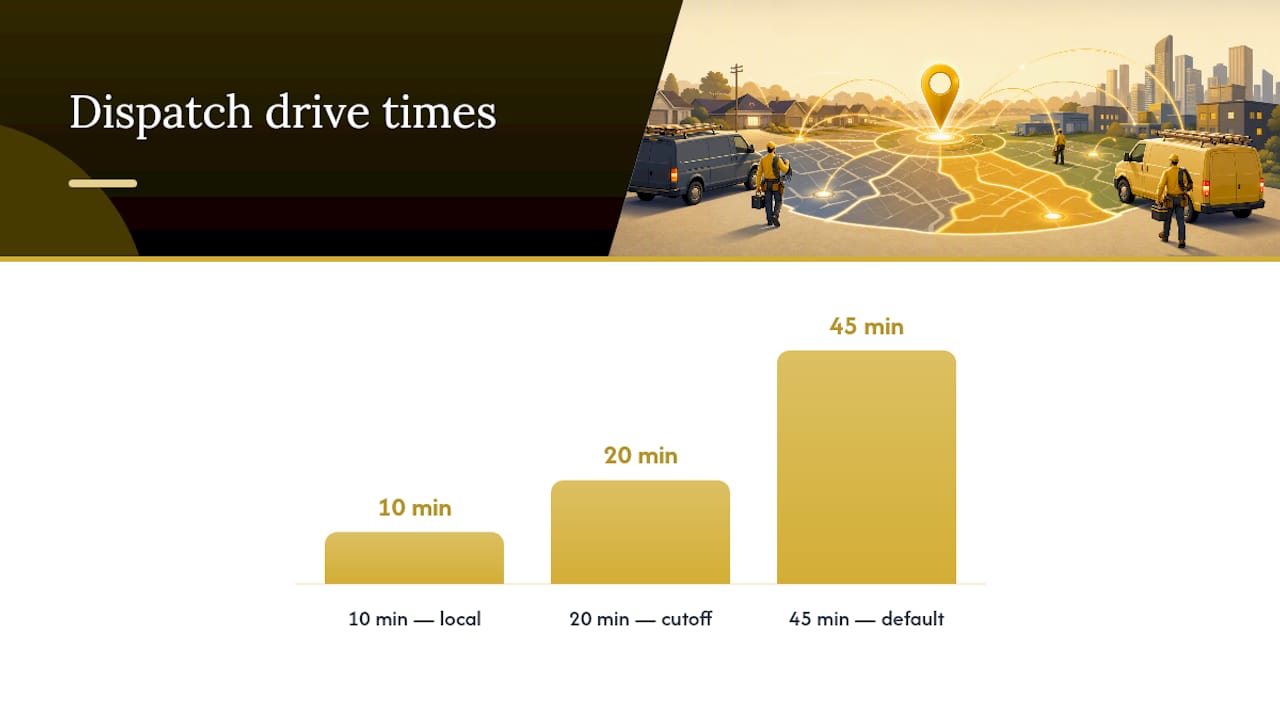
Geo targeting is where a surprising amount of electrician ad spend quietly disappears. Default city-wide or radius targeting treats a 45-minute drive the same as a 10-minute one, and that's a problem when travel time eats into job profitability on lower-ticket work.
Start by mapping your actual dispatch zones, not your marketing aspirations. If your close rate drops off past a 20-minute drive time, your ad targeting should reflect that reality rather than a round-number radius that looks good on paper.
- Build zip code clusters around your existing service history, weighting toward zips with your highest historical close rates and average ticket values.
- Layer in bid adjustments by cluster, pushing bids up in zones with strong close rates and pulling back (or excluding entirely) in zones that generate calls you can't profitably service.
- Set schedule adjustments so emergency campaigns run 24/7 while non-emergency service and installation campaigns follow your actual business hours, avoiding after-hours clicks you'd have to call back the next morning anyway.
- Exclude adjacent territories served by other contractors you know are aggressive on price, unless your ticket value gives you room to compete on service instead of cost.
- Test local landing pages for your two or three biggest zip clusters, each referencing the specific neighborhood or town by name, and track which ones actually convert calls into booked jobs.
- Assign unique call-tracking numbers per geo cluster so you can see which zones produce leads worth the ad spend and which ones just generate noise.
Pro Tip: If you serve both a dense urban core and a spread-out suburban ring, split them into separate campaigns entirely. The bid pressure, competition, and average job value are usually different enough that combining them just muddies your data.
Revisit this targeting quarterly. Service areas that convert well in January (furnace-adjacent electrical work, generator installs before storm season) often shift by summer when EV charger installs and outdoor lighting projects pick up.
What Keywords and Negatives Should Electrician Campaigns Use?
Group your keywords by the same service lines you use for campaign structure, not by generic intent buckets. "Emergency electrician," "24 hour electrician," and "electrician near me now" belong together. "EV charger installation cost" and "level 2 charger installer" belong in a completely separate group with its own landing page and its own bid strategy, because the buyer researching an EV charger is nothing like the one dealing with a sparking outlet.
Match types matter more here than in most industries because electrician searches skew toward high-intent, specific phrases. Use phrase and exact match for your core money terms (things like "emergency electrician [city]" or "panel upgrade cost") to keep control tight, and reserve broad match only for discovery campaigns you're willing to babysit closely with negatives.
Sample ad group structure:
- Emergency: "electrician emergency near me," "24 hour electrician [city]," "power outage electrician"
- Panel upgrades: "electrical panel upgrade cost," "200 amp panel installation," "circuit breaker upgrade"
- EV chargers: "level 2 ev charger installation," "tesla charger installer," "ev charger cost home"
- Generators: "whole house generator installation," "generator electrical hookup," "backup generator wiring"
- Rewires: "whole house rewiring cost," "knob and tube rewiring," "old house electrical rewire"
Your negative keyword list is where the real money gets saved. Best-performing accounts run 40 or more negatives, and that number directly correlates with cutting junk-click spend by $400 to $900 a month in typical contractor accounts. Most accounts run fewer than 10 negatives and bleed budget as a result.
Start your negative list with these categories:
- DIY terms: "how to wire," "diy electrical," "electrical wiring tutorial"
- Career and employment terms: "electrician jobs," "electrician apprenticeship," "electrician salary"
- Parts and suppliers: "electrical supply store," "wire wholesale," "breaker box parts"
- National retailers and competitors' brand terms you don't want to accidentally trigger
- Free or cheap qualifiers that signal price-shopping rather than service-shopping: "free electrician," "cheapest electrician"
Campaign Structure and Bidding: Building the Account Architecture That Works
The account structure that consistently produces the best booked-job ROAS separates campaigns by service line: emergency, panel upgrades and service upgrades, EV charger installs, generator installs, rewires, and a parallel commercial motion for facilities and business clients. Each one gets its own budget, its own bid strategy, and its own conversion definition, because aligning bid pressure to actual ticket value is what separates accounts that scale profitably from ones that just spend more.
The bidding sequence matters as much as the structure itself:
- Start with manual or enhanced CPC while you're still collecting data. You want visibility into what you're actually paying per click before handing control to an algorithm.
- Import offline conversions first. Booked-job data from your CRM or dispatch software needs to flow into Google Ads before Smart Bidding has anything useful to optimize against.
- Hold off on tCPA or tROAS until you've logged 30 or more monthly conversions. Below that threshold, the algorithm doesn't have enough signal to make good decisions, and it'll often default to chasing volume over value.
- Treat Performance Max as a later-stage tool, not a starting point. PMax delivers its lowest cost per lead when it's fed clean, established conversion data, but running it cold, before your Search campaigns have stable performance, tends to produce inflated costs and low-quality leads.
Pro Tip: If you can't hit 30 monthly conversions across your whole account yet, don't force automated bidding just because Google recommends it. Concentrate budget on your two or three highest-ticket service lines instead. Fewer, better-funded campaigns beat six underfunded ones every time.
This sequencing feels slower than just flipping on Smart Bidding day one, and it is. But an account that spends its first 60 days building clean conversion data almost always outperforms one that rushed into automation with nothing but click data to go on.
Landing Pages and Conversion Tracking: Closing the Loop Back to Google
A single service-focused landing page will consistently outperform a homepage, and it's not close. Every electrician landing page needs the same core elements: one clear service focus (don't mix "panel upgrades" and "generator installs" on the same page), a mobile-first call button that's visible without scrolling, and trust signals like license numbers, review counts, and any service guarantees you offer. Where it's useful, listing a rough price range for common jobs (a panel upgrade starting around a certain figure, for instance) filters out tire-kickers before they ever call.
Getting the page right is only half the job. The other half is making sure every conversion, whether it starts as a phone call or a form fill, gets tagged, tracked, and eventually mapped back to a real booked job in your CRM.
- Tag every form field with the service type requested, so a "panel upgrade" lead and an "EV charger" lead don't land in the same undifferentiated bucket.
- Set up call tracking on every landing page and phone number variant, and route those calls through a system that logs duration and outcome.
- Map each lead to a CRM or dispatch outcome, marking it as booked, quoted, or dead, so you know which leads actually became revenue.
- Import booked-job conversions into Google Ads daily, or as close to daily as your workflow allows, rather than batching it monthly and losing the bidding algorithm's ability to react.
Offline conversion imports are the single change that transforms how Smart Bidding behaves. Without them, the algorithm treats every click that didn't bounce immediately as equally valuable, when in reality a $50 outlet repair and a $12,000 rewire are nowhere close to equivalent signals. Most CRM and dispatch platforms support this through Google's offline conversion import tools or a connected integration, and setting it up once tends to pay for itself within the first month of cleaner bidding.
How Much Should Electricians Budget for Google Ads?
A defensible starting budget for most electrician accounts falls between $1,000 and $3,000 a month, with the lower end suited to single-service-line testing and the higher end supporting a full service-line split from day one. On a daily basis, $40 to $90 a day is a practical range for most local markets, though $20 to $40 a day can work in genuinely low-competition areas, it usually won't generate enough data to optimize with any confidence.
The math behind setting your daily number is straightforward: daily budget roughly equals your target monthly leads multiplied by your target cost per lead, divided by 30. If you want 20 leads a month at a $100 target CPL, you're looking at about $67 a day.
Testing takes real volume before it means anything. You need 50 to 100 clicks and 15 to 30 conversions before you can trust cost-per-lead trends enough to act on them. Underfunded campaigns that dole out $15 a day often take months to reach that threshold, which is really just a slow way of learning nothing.
Blended cost per lead across well-managed accounts tends to land in the $50 to $150 range, though where you fall in that band depends heavily on service mix, local competition, and how tight your negative keyword list is. Once your booked-job CPL sits comfortably below what your margins can absorb, and your crew has the capacity to take on more work, that's your signal to scale spend rather than sit on a budget that's already proving itself.
Which Ad Copy and Extensions Actually Drive Calls?
Ad copy for electricians works best when it leads with urgency and closes with proof. Your headline should answer "can you help me right now" before it answers anything else, especially for emergency campaigns.
- Lead emergency ads with speed and availability: "24/7 Emergency Electrician, Same-Day Service" beats a generic company name every time.
- Follow with a brief proof point: license number, years in business, or review count builds trust in a single line.
- Prioritize call extensions and location extensions on every campaign, since a click that turns into a phone call is often the fastest path to a booked job.
- Add sitelink extensions pointing to your individual service pages, not just your homepage, so searchers can jump straight to the page relevant to them.
- Use callout and structured snippet extensions to list licenses, service areas, and financing options without cluttering your headline.
- Add price extensions for fixed-price services like outlet installs or basic repairs, where a stated range filters out mismatched leads before they click.
- Run call-only ad formats during peak emergency hours (nights, weekends, storm season) when a direct call beats a landing page click every time.
- Rotate headlines and description lines weekly during testing, keeping the winner and retiring anything that underperforms after a statistically meaningful sample.
Google Search Ads vs. Local Services Ads: Which Should You Run?
Local Services Ads carry Google's own trust badge and lean hard on review velocity, which makes them strong for call-first, core services like general repairs and emergency calls where a homeowner just wants a vetted pro fast. Search Ads give you far more control: custom landing pages, specific messaging per service, and the ability to bid aggressively on high-ticket jobs like panel upgrades or rewires that need more explanation than an LSA profile can offer.
- Run LSAs for your bread-and-butter, call-first services once you've got verification and a solid review base in place.
- Run Search for anything with a longer consideration window or higher ticket value, where a dedicated landing page changes the outcome.
- A rough starting split for accounts running both: 30 to 40% of budget to LSAs for core call volume, the rest to Search for service-specific campaigns.
- Route LSA leads and Search leads into the same CRM so you can compare cost per booked job across both channels, not just cost per lead.
What Metrics Prove Your Electrician Ads Are Working?
The metrics that actually matter are booked-job cost per lead, close rate, gross profit per job, and return on ad spend calculated against booked revenue, not clicks or form fills. A campaign with a low cost per lead and a terrible close rate is worse than one with a higher cost per lead that converts reliably into paid work.
- Track booked-job CPL separately for each service line, since blending them hides which campaigns are actually profitable.
- Set your offline conversion import to run daily so Smart Bidding has fresh signal to work with.
- Map each job type to its own conversion action rather than a single generic "lead" conversion.
- Choose an attribution window that matches your actual sales cycle. Emergency jobs close same-day; commercial rewires might take weeks.
- Scale spend once booked-job CPL sits comfortably under your target and you've confirmed you have crew capacity to handle the extra volume, since reaching the 30-plus monthly conversion threshold is also what unlocks reliable Smart Bidding performance.
What Leapify Media's Client Data Shows About This Approach
Leapify Media builds its Google Ads infrastructure for home service companies around the exact sequence outlined above: service-line campaign splits, on-premise AI systems for lead scoring, and CRM-integrated conversion imports that feed booked-job data back into the ad platform daily.
- AI-powered dispatch and intent scoring run on in-house, on-premise servers rather than third-party AI, keeping client data proprietary.
- CRM and dispatch integrations are built specifically for the home service workflow, not adapted from generic marketing software.
- Reported client results include up to a 20x return on ad spend, a figure specific to the accounts Leapify Media has managed and not a guarantee for every business.
The gap between an account that looks busy and one that's actually profitable almost always comes down to whether booked-job data ever makes it back into the bidding algorithm. Most accounts never close that loop.
This article was informed by Everson Gorski's editorial analysis for Leapify Media. For deeper implementation detail, see the Google Ads management overview and the comparable HVAC campaign playbook.
What the Data Actually Supports, and Where Common Advice Falls Short
Most advice on electrician Google Ads treats keyword selection as the make-or-break variable. It isn't. The accounts that actually generate booked jobs win on conversion tracking discipline, not clever match types. You can have a perfect keyword list and still lose money if Smart Bidding never sees which clicks became real invoices.
The conventional wisdom also oversells Performance Max as a set-and-forget solution. It's a powerful tool once fed clean data, and a expensive guessing game before that. The order of operations matters more than the tool itself, and most agencies skip straight to automation because it's easier to sell than the unglamorous work of CRM integration.
What electricians should prioritize first isn't a bigger budget or a smarter bid strategy. It's the plumbing: get booked jobs mapped to conversion actions, get that data flowing daily, and only then start layering in automation. Everything else, the ad copy, the extensions, the geo tweaks, matters far less than most guides suggest.
Get Your Electrician Ads Built Around Booked Jobs, Not Clicks
Managing this yourself means juggling conversion imports, service-line campaign splits, and CRM integrations on top of running actual electrical jobs, and most contractors don't have the hours for it. Leapify Media builds the infrastructure specifically for home service companies, using on-premise AI systems for lead scoring and dispatch instead of third-party tools that hand your customer data to someone else.

What that means in practice: your booked-job data gets mapped and imported automatically, your campaigns get split by service line from day one, and your bidding strategy follows the sequence this article laid out, manual first, automation only once the signal is clean. If your current setup is running on a single campaign and a homepage landing page, start by reviewing Leapify Media's growth infrastructure for home service companies and see what a properly built account actually looks like.
Frequently Asked Questions
How much should an electrician budget for Google Ads? Most electrician accounts start with $1,000 to $3,000 a month, or roughly $40 to $90 a day, adjusting up once booked-job cost per lead confirms the spend is profitable.
What's a good cost per lead for electrician Google Ads? Well-managed accounts typically see blended CPLs between $50 and $150, though emergency campaigns run higher given the urgency premium built into CPCs.
Should electricians use Local Services Ads or Search Ads? Run both where possible. LSAs work well for call-first core services once you've built review volume, while Search Ads give you the landing page and messaging control needed for higher-ticket work like panel upgrades and rewires.
How many negative keywords should an electrician Google Ads account have? Aim for 40 or more negative keywords covering DIY searches, career terms, and parts suppliers, a list that size can cut monthly wasted spend by hundreds of dollars.
Does Google hire electricians? Google does hire Data Center Facilities Technicians with electrical backgrounds, but those are corporate roles for industrial and commercial data center systems requiring 2 to 5 years of experience, not residential electrician positions and entirely unrelated to running Google Ads campaigns.
When should electricians turn on automated bidding? Wait until you've logged at least 30 monthly conversions from imported booked-job data. Turning on Smart Bidding earlier usually optimizes for cheap clicks instead of profitable jobs.
Sources
- Effective Electrician Google Ads Campaigns in 2026
- google-ads-daily-budget
- Data Center Facilities Technician, Electrical — Google Careers