

Set up call tracking with a dedicated provider that offers dynamic number insertion, assign a unique tracking number to each marketing channel, and route every call conversion into your CRM and Google Ads account. That combination is the fastest path from "we think ads work" to "we know exactly which channel booked this job." The rest comes down to sequencing: reserve your numbers, install the swap script, set a duration threshold around 60 seconds, and confirm everything with a short testing pass before you trust the reports.
TL;DR:
- Use distinct, source-specific numbers for each marketing channel and verify dynamic number insertion works correctly on all pages to ensure accurate attribution.
- Set a call duration threshold of around 60 seconds to qualify calls as leads, and test call flows across devices and sources to confirm proper tracking.
- Integrate call data with your CRM by logging call IDs, sources, and outcomes immediately to maintain accurate lead tracking and avoid data loss or duplication.
- Native Google Ads call reporting misses most inbound calls, so enable API integration with your call-tracking platform to capture the full lead volume.
- Expect call tracking costs to scale with call volume and features; the expense is often justified by increased booked jobs and more effective ad spend allocation.
Table of Contents
- What You Need Before You Start Your HVAC Call Tracking Setup
- Setting Up Call Tracking Step by Step for HVAC
- How Does Google Ads Call Reporting Work With HVAC Campaigns?
- How Do You Test That Call Tracking Is Working Correctly?
- Turning Call Data Into ROI: Which KPIs Actually Matter
- Connecting Call Tracking to Your CRM and Dispatch Software
- What Does Call Tracking Cost for an HVAC Business?
- Common Call Tracking Problems and How to Fix Them
- Leapify Media's HVAC Call Tracking Checklist
- When to DIY Your Call Tracking and When to Bring in Help
- Sources
What You Need Before You Start Your HVAC Call Tracking Setup
Before touching any settings, gather admin access to your CMS, Google Ads account, GA4 property, Google Business Profile, and CRM or field-service software. Missing even one of these stalls installation halfway through.
- Confirm admin or editor access to your website's CMS, Google Ads, GA4, GBP, and CRM
- Decide your conversion rule now (most HVAC shops use 60 seconds or longer as a qualified call)
- Estimate your number pool: one per channel (paid search, organic, GBP, social, offline ads) plus a couple of spares for spring and summer demand spikes
- Plan how after-hours calls forward and whether emergency dispatch numbers stay separate from marketing numbers
Answering these questions upfront saves a second round of edits once numbers are already live on your site.
Setting Up Call Tracking Step by Step for HVAC
Once access is sorted, the actual call tracking installation for HVAC websites follows a predictable order. Skipping steps is how businesses end up with numbers that never swap or conversions that never fire.
- Sign up with a call-tracking platform and purchase your number pool, sized to match the channels you identified in the preflight stage.
- Map each number to a specific source: Google Business Profile, paid search, organic search, social ads, and print or radio if you still run them.
- Install the JavaScript snippet (or your platform's CMS plugin) sitewide, then confirm dynamic number insertion actually swaps the visible phone number and click-to-call button, not just the footer text.
- Set forwarding rules, including a voicemail script and after-hours routing to whoever takes emergency calls.
- Turn on call recording and transcription, and decide whether calls get auto-tagged by keyword, campaign, or landing page.
- Set your conversion duration threshold. Most HVAC providers recommend treating calls of roughly 60 seconds or longer as a qualified lead, since shorter calls are usually wrong numbers or spam.
Pro Tip: Test DNI on an incognito browser window right after install. If the number doesn't change when you land from a Google Ads click versus a direct visit, the script isn't firing correctly, and every report downstream will be wrong until you fix it.
How Does Google Ads Call Reporting Work With HVAC Campaigns?
Google's native call reporting only counts calls placed directly from the "call" button on a search ad. It has no visibility into someone who clicks your ad, browses your site, then calls the number displayed on your homepage. For HVAC businesses, most conversions happen through phone calls that originate exactly that way, which means native tracking alone misses a large share of your real lead volume.
To close that gap:
- Authorize your call-tracking provider to send conversion events directly into Google Ads via its API integration
- Import call conversions as a distinct conversion action, separate from form fills
- Set the same duration threshold you used platform-wide (60 seconds is a reasonable HVAC baseline; push it higher for install jobs versus repair calls)
- Verify conversions show up at the campaign and keyword level, not just as an account-wide total
Our guide to HVAC Google Ads management covers this integration in more detail if you're managing campaigns in-house.
How Do You Test That Call Tracking Is Working Correctly?
Run these checks before you trust a single report. Testing call flows from every source catches the misattribution errors that otherwise sit invisible for months.
- Visit your site from a paid search ad, an organic result, your GBP listing, and a social post, confirming the displayed number changes each time
- Place a test call to every tracking number and confirm it logs, records, and tags correctly in your platform dashboard
- Check that Google Ads and GA4 both receive the conversion with the right campaign and keyword parameters attached
- Test on mobile and desktop separately, since cross-device sessions can break attribution if cookies aren't shared properly
| Test case | What to check | Pass signal |
|---|---|---|
| Paid search click | Number swaps on landing page | Unique paid-search number displays |
| Organic visit | Number reverts to default/organic pool | Correct organic number shows |
| GBP call button | Call logged under GBP source | Call appears tagged "Google Business Profile" |
| Test call duration | 60+ second call registers as conversion | Conversion event fires in Ads and GA4 |
Turning Call Data Into ROI: Which KPIs Actually Matter
Raw call counts tell you almost nothing. What matters is what happens after the phone rings.
- Calls by source: which channel is generating volume, not just clicks
- Answered rate: missed calls are lost revenue regardless of how good your ads are
- Conversion rate to booked job: the percentage of calls that turn into an actual appointment
- Cost per booked job: ad spend divided by jobs booked, by channel
Closing the loop means stitching call source through to CRM booking and then to ticket revenue, so a $4,000 install job traces cleanly back to the Google Ads keyword that generated the call. A simple Looker Studio dashboard reviewed weekly beats a sprawling report nobody opens. Expect reliable channel patterns within one to two billing cycles, though seasonal categories like AC installs need a full season before the data means much. Use recordings and call scoring to filter out the calls that clearly never should have counted as conversions in the first place.
Connecting Call Tracking to Your CRM and Dispatch Software
Your CRM needs a few fields ready before call data becomes useful: a call ID field, a source channel field, and a call outcome field (booked, no answer, not a fit, price shopper). Without these, calls sit in your tracking platform disconnected from what actually happened to the lead.
- Use a native integration where your platform offers one; it's the most reliable method and requires the least maintenance
- Fall back to a webhook or a Zapier connection when no native integration exists between your specific tools
- Train CSRs to log the outcome of every call immediately, since delayed logging is where most data gets lost or overwritten
- Watch for duplicate records when the same caller phones twice; the call ID should link back to the original lead, not spawn a second one
Field-service platforms like FullyOps handle the dispatch side of this loop, closing the gap between a logged call and a completed, invoiced job.
Pro Tip: Push call ID into the CRM lead record at the moment the call comes in, before the booking process starts. If you wait until after scheduling to tag the source, the field gets overwritten more often than you'd expect.
What Does Call Tracking Cost for an HVAC Business?
Budgeting for call tracking is simple once you know the moving parts.
- Entry-level platforms with basic DNI and recording run in the low hundreds per month
- Plans with AI call scoring, multi-location support, and CRM integrations cost more, often scaling with number of locations or call volume
- Per-number fees add up fast during spring and summer when you're running seasonal campaigns and need extra numbers temporarily
- Some providers charge separately for transcription or per-minute recording storage
The break-even math is straightforward: if tracking data helps you shift budget toward the channel producing bookings and away from the one that isn't, one extra booked job at your average ticket price usually covers months of platform cost.
Common Call Tracking Problems and How to Fix Them
Most attribution problems trace back to a handful of repeat offenders.
- Wrong number displaying: usually a caching issue or a script that didn't load on every page template; clear cache and recheck the install
- Missing conversions in Google Ads: check that the duration threshold and conversion action name match exactly between your tracking platform and Ads account
- Duplicate CRM records: confirm call ID is being passed on the very first interaction, not created fresh each time
- Short spam calls inflating conversion counts: raise your duration threshold, especially for high-ticket services where a real inquiry rarely lasts under a minute
If a fix doesn't resolve within a day, escalate to your provider's support team or your webmaster rather than troubleshooting blind for a week.
Leapify Media's HVAC Call Tracking Checklist
Leapify Media builds call tracking as one piece of a larger lead infrastructure for home service companies, not a standalone tool bolted onto a website. The checklist we run for HVAC clients covers number pool sizing by channel, DNI verification across every page template, CRM field mapping before go-live, and a 60-second conversion threshold as a starting baseline that gets adjusted per client based on average ticket size.
Clients working with Leapify Media on full-funnel marketing infrastructure, including call tracking tied to intent scoring and CRM automation, have reported returns as high as 20x on ad spend. That figure reflects the full stack working together, not call tracking in isolation, and results vary by market and starting baseline.
Every implementation gets documented with a written setup record and a 30-day QA review before we call it finished.
When to DIY Your Call Tracking and When to Bring in Help
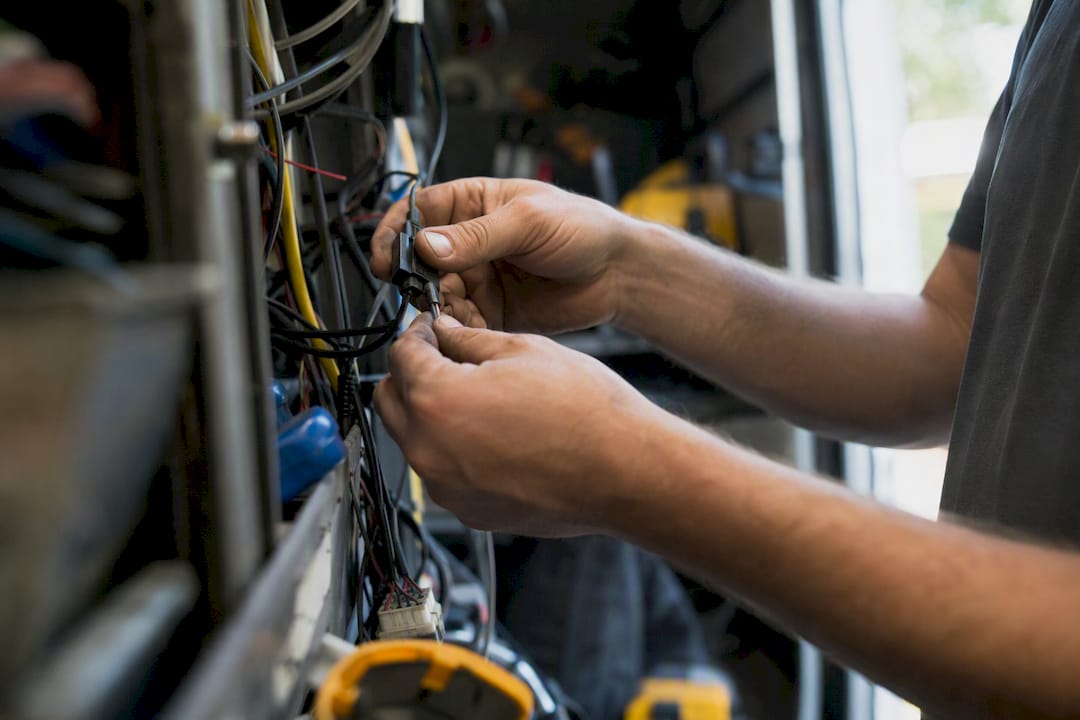
If you run one location and a handful of marketing channels, you can absolutely set this up yourself in an afternoon. Reserve your number pool, install DNI, run the QA tests outlined above, and you'll have working attribution within a day.
Where it gets harder is multi-location businesses, complex CRM integrations, or teams without a technical person to troubleshoot a broken webhook at 9 p.m. on a Friday. That's when hiring help earns its cost. A competent agency engagement should include the same checklist above, plus ongoing monitoring so a dropped integration doesn't sit broken for a month before anyone notices. Ask any agency you're considering how they handle CRM field mapping specifically. That's where most DIY setups quietly fail.
— Everson Gorski
Sources
For deeper technical walkthroughs, see ACHR News on the cost of skipping call attribution, CallTrack's home service setup guide, and Full Stack HVAC's closed-loop attribution breakdown for CRM integration specifics.
- How to set up call tracking for home service Google Ads
- HVAC marketing ROI: the 4-step closed-loop attribution chain that makes spend measurable | Full Stack HVAC
- Call Tracking for Home Services - CallTrack