
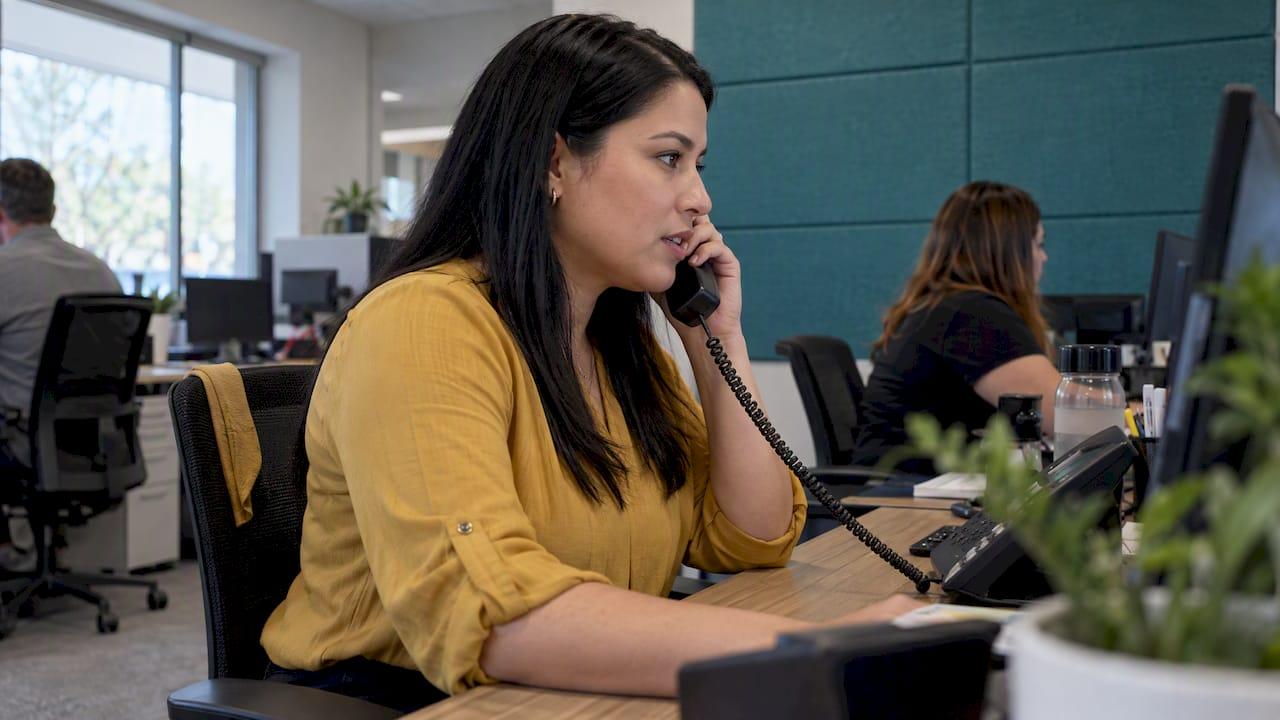
Overflow call handling sends a call to a backup destination when your main line cannot take it: a second team, an on-call tech, an answering team or an AI system that qualifies and books the job. For a home service company, it is the difference between a ringing phone becoming a booked job and becoming a competitor's customer. This guide covers what triggers overflow, how to build a call flow that books jobs, how to connect it to your CRM and ad tracking, and which numbers show it is working.
TL;DR
- An overflow call is one your primary team cannot answer right now: busy lines, long queues, no one available, or after-hours.
- Set clear triggers (ring count, queue length, schedule), then send the call to a backup that can actually book, not just take a message.
- Misconfigured routing is a common way calls are lost. In one major phone platform, a caller can be disconnected if voicemail is off and no overflow number is set.
- Tie every overflow call back to its ad source and CRM record, or you cannot tell whether your ad spend is working.
- Track answer rate, abandoned calls, booking rate on overflow calls and cost per booked job, by source.
Table of Contents
- What overflow call handling means for a home service business
- How to decide when a call should overflow
- The most common ways overflow calls get lost
- Building an overflow call flow that books jobs
- Your options for the backup destination
- Connecting overflow to call tracking, attribution and your CRM
- Metrics that show overflow handling is working
- Our perspective on overflow
- How Leapify Media can help
- A practical rollout checklist
- FAQ
- Sources
What overflow call handling means for a home service business
In phone-system language, an overflow call is one that cannot currently be taken by an agent or answered by voicemail. Zendesk's documentation gives typical causes: agents are offline, they decline or miss the call, or the maximum queue wait time or queue size has been reached.
Translate that to a service company and the picture is familiar. It is 7:40 on a Monday morning after a cold snap. Your dispatcher is on a call with a customer whose furnace is out. Two more lines are ringing. Your techs are in attics and crawl spaces. Nobody is slacking, there are just more calls than hands.
Overflow shows up in a few distinct situations:
- Peak surges. Heat waves, freezes, storms and hail seasons all push call volume far beyond a normal day.
- Marketing spikes. A new Google Ads campaign, a mailer drop or a seasonal promotion can double inbound calls in a week.
- Staff gaps. Lunch breaks, sick days, training and a single dispatcher covering the whole board.
- After-hours and weekends. Many emergency calls arrive when the office is closed. A burst pipe or a dead AC in July does not wait for Monday. If you want a sense of how homeowners think about urgent calls, the explainer on what counts as an emergency repair service shows why these callers expect an immediate human response.
Overflow is not the same as after-hours answering, although the two overlap. After-hours routing is driven by a schedule. Overflow is driven by capacity. Zendesk documents them separately, and lets you configure overflow numbers that apply either inside or outside your business-hours schedule. A well-built setup handles both.
Why it matters more for home services than for most industries
The caller with a leaking water heater is not browsing. They are usually calling two or three companies in a row, and the first one that answers a real question tends to win. A voicemail greeting is, for that caller, a reason to dial the next result. If you pay for those clicks, calls and leads through ads, every unanswered ring is paid media thrown away.
That is why we treat missed calls as a marketing problem and a revenue problem, not only an operations problem. You can have a great ad account and still leak jobs at the phone.
How to decide when a call should overflow
The rule of thumb is simple: overflow should trigger before the caller loses patience, not after. Zendesk's guidance points to configurable limits: you set a maximum queue wait time or queue size, and calls beyond those limits are sent to an overflow destination. You can also set overflow behavior by business-hours schedule, so the rules in the daytime differ from the rules at night.
Here are the triggers that make sense for a typical service company.
| Trigger | What it means | Typical overflow destination |
|---|---|---|
| All lines busy | Every dispatcher or CSR is on a call | Backup answering team or AI intake |
| Ring timeout | Nobody picks up within a set number of rings | Second group, then backup |
| Queue length | More than a set number of callers waiting | Backup team, callback offer |
| Queue wait time | A caller has waited past your limit | Backup team or text-back |
| Outside hours | The schedule says the office is closed | On-call dispatcher or after-hours intake |
| Staff unavailable | Agents offline, declining or missing calls | Mobile ring group, then backup |
There is no universal number for ring count or queue limits. Start conservative, for example overflowing after a short ring timeout during your peak season, then adjust against your data. The aim is a caller who never hears more than a few rings before a person or a capable system picks up.
Sequence the destinations
Overflow rarely works as one hop. A sensible chain looks like this:
- Ring the primary dispatchers or CSRs.
- If no answer within your ring limit, ring a secondary group (an owner, an operations manager, a field supervisor on a mobile).
- If still unanswered, send to the backup destination that can qualify and book.
- If that fails or the caller hangs up, trigger an immediate text and a task in the CRM for callback.
That final step matters. Even a call that was abandoned leaves you a phone number, which is a lead you can still work.
The most common ways overflow calls get lost
Most lost overflow calls come from setup gaps, not from lack of effort. Here are the ones we see most often.
Nothing is configured for the gap. In Zendesk's system, if voicemail is off and no overflow number is configured, the platform plays the voicemail-off greeting and disconnects the caller. The same documentation notes that if voicemail is on, the Overflow calls option cannot be enabled. In other words, two reasonable-looking settings can quietly conflict. Whatever phone platform you use, test what a caller actually hears when every line is busy, and when you are closed.
The backup cannot book. An answering team that only takes a name and number turns a hot call into a callback request. By the time you ring back, the customer has booked someone else. The backup has to ask the right intake questions, know your service area and ideally see your calendar.
No emergency path. A burst pipe, a gas smell and a no-heat call in winter are not the same as a quote request for a new water heater. If everything goes into the same queue, the urgent jobs wait. Build a triage question into the first 20 seconds.
Out-of-area calls eat capacity. Without screening, overflow lines fill with callers you cannot serve. A quick ZIP code check at the start protects your team's time.
No follow-up on missed calls. A missed call without an automatic text and a CRM task is a lead nobody owns. Our guide to missed call text back walks through how to reply within seconds, even when no one can pick up.
Nobody listens to the recordings. Overflow handling is only as good as the scripts behind it. Reviewing a handful of overflow calls each week finds problems faster than any dashboard.

Building an overflow call flow that books jobs
The goal is not to answer the phone. The goal is to book a qualified job, or capture enough information that your team can close it quickly. Here is a step-by-step approach.
Step 1: Define what a good call looks like
Write down the information you need to dispatch: name, callback number, address, the problem, how urgent it is, whether it is a repeat customer, and whether anyone is home. Everything in your overflow flow should collect those fields in a consistent order. If you run plumbing, the five intake questions in our plumbing dispatcher scripts are a practical starting point. HVAC teams can adapt the lines in our HVAC call scripts.
Step 2: Separate emergencies from standard requests
Ask one triage question first: is anything actively leaking, sparking, smelling of gas or without heat or cooling in dangerous weather? Emergencies go to the on-call tech or dispatcher by live transfer. Standard requests go to booking. Anything involving gas or electrical danger should always get safety instructions first, such as leaving the home and calling emergency services, before any scheduling talk.
Step 3: Give the backup access to your calendar and rules
The backup destination needs to know your service area, your trip charge or diagnostic fee policy, your hours for non-emergency visits, and your booking slots. Anything less turns the call into a message.
Step 4: Decide what "booked" looks like
Some calls should end with an appointment on the calendar. Others should end with a warm transfer. Others, such as sales leads for a full system replacement, might end with a scheduled estimate. Write the rule for each job type so the backup does not improvise.
Step 5: Automate the confirmation
A booked job should trigger a text confirmation, a CRM record and later a reminder. Our guide to SMS appointment reminders covers how reminders cut no-shows once the job is on the schedule.
Step 6: Test it like a customer
Call your own number from a mobile during a simulated busy period. Call after hours. Call from outside your service area. Time how long each takes and write down what you hear. Fix the worst gap first.
The U.S. Small Business Administration makes a related point for owners who are stretched thin: it advises solo businesses to outsource customer-related work and automate customer-relations and scheduling tasks. You may not be a solo operator, but the principle holds for any shop where the owner or one dispatcher is the bottleneck.
Your options for the backup destination
There are four common types of backup, and the right choice depends on your call volume, budget and how much control you want.
| Option | Strengths | Watch-outs |
|---|---|---|
| Internal second line (office manager, owner mobile) | Cheap, knows the business | Limited capacity, fails in peak season |
| Outsourced live answering team | Human voice, scales with volume | Generic scripts, limited calendar access, per-call or per-minute cost |
| Dedicated in-house call team | Full control, trained on your work | Payroll, turnover, still capped at peak |
| AI-powered intake and dispatch | Answers instantly, never busy, scores intent, books into the calendar | Needs proper setup and testing on your workflows |
Most growing companies end up with a blend: humans for complex or high-value calls, automation for the rest, and a clear rule for which goes where. If you are comparing phone platforms that sit underneath all of this, our breakdown of RingCentral vs Nextiva for home service businesses covers the routing features that matter.
Connecting overflow to call tracking, attribution and your CRM
Overflow handling creates a new risk: calls get answered, but nobody knows which ad produced them. That breaks your reporting and eventually your budget decisions.
The fixes are straightforward:
- Use tracking numbers by source. Give Google Ads, Meta Ads, your Google Business Profile, your website and print each its own number, all forwarding into the same overflow logic. Whoever answers, the source is recorded.
- Pass the source into the record. The backup destination should create or update a CRM contact with the tracking source, call recording link, job type and outcome.
- Log outcomes, not only calls. "Answered" is not a result. The CRM stage should show booked, estimate scheduled, not qualified, out of area or lost.
- Close the loop to ad platforms. When booked jobs and revenue flow back to ad accounts as conversions, the ad platforms optimize for jobs instead of clicks.
- Automate follow-up for the rest. Unbooked leads should enter a sequence of texts and calls rather than sitting idle. See our practical guide to automated lead follow-up.
If you use a field service platform, much of this can live inside it. Our walkthroughs on CRM automation software and Housecall Pro automations show what to automate first.
Metrics that show overflow handling is working
Track a small set of numbers weekly, split by lead source and by time of day.
- Answer rate. The share of inbound calls that reach a person or an intake system. Measure it during peak hours separately, because the average hides the worst moments.
- Abandoned call rate. Callers who hang up before connecting. A rising rate during your busiest hours means your overflow triggers are too slow.
- Overflow volume. How many calls hit the backup each week and when. This tells you when to add staff or tighten scheduling.
- Booking rate on overflow calls. Booked jobs divided by qualified overflow calls. Compare it with your primary team's rate. A big gap points to script or calendar-access problems.
- Time to first response. For calls missed entirely, how fast did the text-back or callback go out?
- Cost per booked job, by source. Ad spend divided by booked jobs, not leads. This is the number that proves whether the phone is the leak.
- Revenue per booked call. Which job types and sources pay for themselves, so you can steer spend.
A worked example makes this concrete. Say your Google Ads campaign brings in 200 calls a month. If your numbers show 50 of them are going unanswered at peak times, that is a quarter of your paid calls never reaching a person. Even if only a portion of those would have booked, you can estimate the lost jobs by multiplying by your booking rate and your average ticket. Use your own figures: the point is that the leak is measurable, and fixing it is often cheaper than buying more clicks.
For how routing improvements change booking outcomes, see our piece on AI call routing for home services.
Our perspective on overflow
We build marketing infrastructure for home service companies, and we see the same pattern in almost every account: the ad spend is working, and the phone is where the money leaks. A company pays for a click, a homeowner calls, the lines are busy, and the job goes to someone else.
That is why we do not treat overflow as a call center add-on. We treat it as part of the revenue system. Our AI dispatch and intent scoring run on servers we host ourselves, built by our own engineers around home service workflows: emergency triage, service area checks, job types and calendar rules. We do not hand your customer conversations to a third-party AI vendor, and your data stays proprietary and secure.
The second difference is attribution. An overflow call that gets answered but never tied back to a campaign is only half a win. We connect the call, the CRM record and the ad source so you can see which spend produces booked jobs, and cut the spend that does not.
Our approach is to make the phone the strongest part of your funnel, with senior strategists you can talk to directly rather than a rotating account manager.
Everson Gorski
How Leapify Media can help
If your team is missing calls during peak hours, our On-Premise AI Dispatch is built for exactly that problem. It costs $1,000 per month, with a one-off AI Dispatch Setup fee of $7,500. CRM Integration starts from $3,000 one-off, so booked jobs and ad sources land in the same place. If you want the full stack, from ads to automation, our plans start with Foundation from $2,500 per month.
You can see every published price on our pricing page, browse the services we offer, or start at Leapify Media to talk through your call volume. We work with home service companies doing at least $500K in annual revenue, including HVAC, plumbing, roofing, landscaping, electrical and similar trades.
A practical rollout checklist
If you want to get moving this month without buying anything, work through this list.
- Pull a month of call logs and mark when calls went unanswered.
- Identify your three busiest windows and your worst after-hours gaps.
- Set overflow triggers: ring timeout, queue size or wait time, and a separate schedule for after hours.
- Choose a backup destination that can qualify and book, not only take messages.
- Write a short triage script with an emergency path and a service-area check.
- Turn on instant text-back for every missed or abandoned call.
- Give each ad source its own tracking number and confirm it reaches your CRM.
- Test the whole flow from a mobile phone, at peak time and after hours.
- Review ten overflow calls each week for the first month.
- Compare booking rate and cost per booked job before and after.
Small changes here usually pay back quickly, because you are recovering demand you already paid to generate.
FAQ
What is the difference between overflow call handling and an answering service?
An answering service is usually a team that picks up calls, often around the clock. Overflow call handling is the rule that decides when a call goes to a backup, such as when lines are busy or no one answers. Many companies use an answering service as the overflow destination, but you can also use an on-call tech, a second office or AI intake.
When should a call be sent to overflow?
Send a call to overflow when it passes a limit you have set, such as a ring timeout, a maximum queue size or a maximum queue wait time. You can also use a business-hours schedule so after-hours calls follow a different path. Start with short limits in peak season and adjust using your answer and abandoned-call rates.
Can overflow handling book jobs, or does it only take messages?
It can book jobs if the backup has your service area, job types, pricing rules and calendar access. Without those, it falls back to taking messages, which leaves a callback gap. Build the booking rules before you switch it on.
How do I know if I need overflow call handling?
Look at your call logs. If calls go unanswered during your busiest hours, if callers hang up before connecting, or if your ad spend rises while booked jobs stay flat, you likely need it. Check after-hours calls too, since emergency work often arrives when the office is closed.
Sources
- Managing overflow calls and after-hours call routing, Zendesk Support
- Five Strategies for Winning at Working Solo, U.S. Small Business Administration