
On-premise AI pays off when workloads run hot and often: latency-sensitive dispatch, high-duty-cycle inference, or data too regulated to leave the building. The core benefits are tighter data control, predictable latency, lower cost once utilization clears roughly 4 to 5.5 hours a day, and full say over model behavior. The trade-off is real, too: you now own the hardware, the patching, and the 2 AM outages.
TL;DR:
- On-premise AI becomes more cost-effective than cloud when models run more than 4 to 5.5 hours daily, with savings increasing as utilization grows.
- Latency-critical tasks benefit from local deployment because it eliminates network delays and reduces variability, especially at high load.
- Fully regulated or sensitive data workloads, along with high-duty-cycle inference, are prime candidates for on-premise setups due to control and compliance needs.
- Hidden costs such as infrastructure, power, cooling, and ongoing engineering support can offset hardware savings, requiring careful planning and real-world testing.
- Successful deployment depends on measuring actual workload duty cycle and internal data flow before hardware purchase, avoiding vendor benchmark pitfalls.
Table of Contents
- What Are the Benefits of On-Premise AI?
- How Much Does On-Premise AI Really Cost Over Time?
- Why Does On-Premise AI Feel Faster Than Cloud AI?
- Does On-Premise AI Actually Improve Compliance and Security?
- What Deployment Pattern Fits Your Workload?
- What Does It Actually Take to Run On-Premise AI Day to Day?
- How Do You Decide If On-Premise AI Is Right for Your Workload?
- How Leapify Media Applies On-Premise AI in Home-Service Operations
- Author Perspective: Pragmatic Guidance for Enterprise IT Leaders
- Ready to Run On-Premise AI for Your Home-Service Business?
- Sources
- FAQ
What Are the Benefits of On-Premise AI?
The case for on-premise AI rests on four pillars, and each one solves a different problem cloud AI structurally cannot.
Data control and intellectual property protection top the list for most enterprise buyers. When inference happens on your own servers, customer records, proprietary formulas, and internal documents never transit a third-party API. That does not make you automatically secure. It shifts the burden of proving security from a vendor's compliance team to yours. A survey of 1,201 IT decision makers found that 96% now run hybrid infrastructure, and over half say on-premise is more cost-effective specifically for training and fine-tuning workloads, where repeated access to sensitive training data makes local control worth the added responsibility.
Predictable latency matters most in workflows where a slow response breaks the interaction entirely, not just annoys the user. Call routing, real-time fraud scoring, and industrial control systems fall into this category. Removing the network hop to a cloud region also removes the variability that comes with shared multi-tenant queues.
Cost at scale flips the usual cloud-is-cheaper assumption once usage crosses a specific line. Below that line, cloud almost always wins because you are not carrying idle hardware.
Model control and customization rounds out the list. Running open-weight models on your own GPUs lets you fine-tune on proprietary data without sending it anywhere, and it protects you from a vendor deprecating or repricing the model you built your product on.
A few conditions tend to make on-premise the stronger fit:
- Workloads with repeated retrieval from internal systems, where data gravity makes moving data to the cloud more expensive than moving compute to the data.
- Regulated data categories where contractual or audit requirements demand demonstrable local control.
- High-frequency, always-on inference rather than sporadic, bursty usage.
Quick fact: 54% of surveyed IT leaders report on-premise infrastructure is more cost-effective specifically for AI training and fine-tuning, a figure that surprises teams who assume cloud wins by default on cost.
How Much Does On-Premise AI Really Cost Over Time?
The honest answer: it depends almost entirely on how many hours a day your GPUs are actually working, not on any inherent cloud-versus-local price advantage. Analysis of production deployments puts the break-even utilization for on-premise hardware at roughly 4 to 5.5 hours per day. Run your models less than that and cloud is almost certainly cheaper. Run them more, and the fixed cost of owning hardware starts paying for itself.
Prompt caching changes that math further. Before you model anything, collect these inputs:
- Duty cycle. What percentage of the day are your models actually processing requests, versus sitting idle?
- Cache hit rate. How often does a new request match a cached prompt or partial computation?
- Expected token volume. Project this over 12 to 24 months, not just current state.
- SLA penalties. What does a missed latency target actually cost you in lost revenue or contractual penalties?
Hidden costs are where most TCO models fall apart. Facilities and power draw for a GPU cluster are not trivial: enterprise architecture guides put fully regulated, air-gapped setups incur high annual infrastructure costs in the hundreds of thousands of dollars range, often with 2 to 3 dedicated full-time engineers attached. Add cooling, procurement lead times that can stretch months for enterprise GPUs, and the ongoing engineering hours needed to patch, monitor, and retrain models, and the "we already own the hardware" argument gets a lot less simple than it sounds on a slide deck.
Why Does On-Premise AI Feel Faster Than Cloud AI?
Latency is not one number. It is three stacked delays: network round trip time, queue time waiting for an available GPU, and the actual inference time the model needs to generate a response. On-premise deployment eliminates the first two almost entirely and gives you far more control over the third.
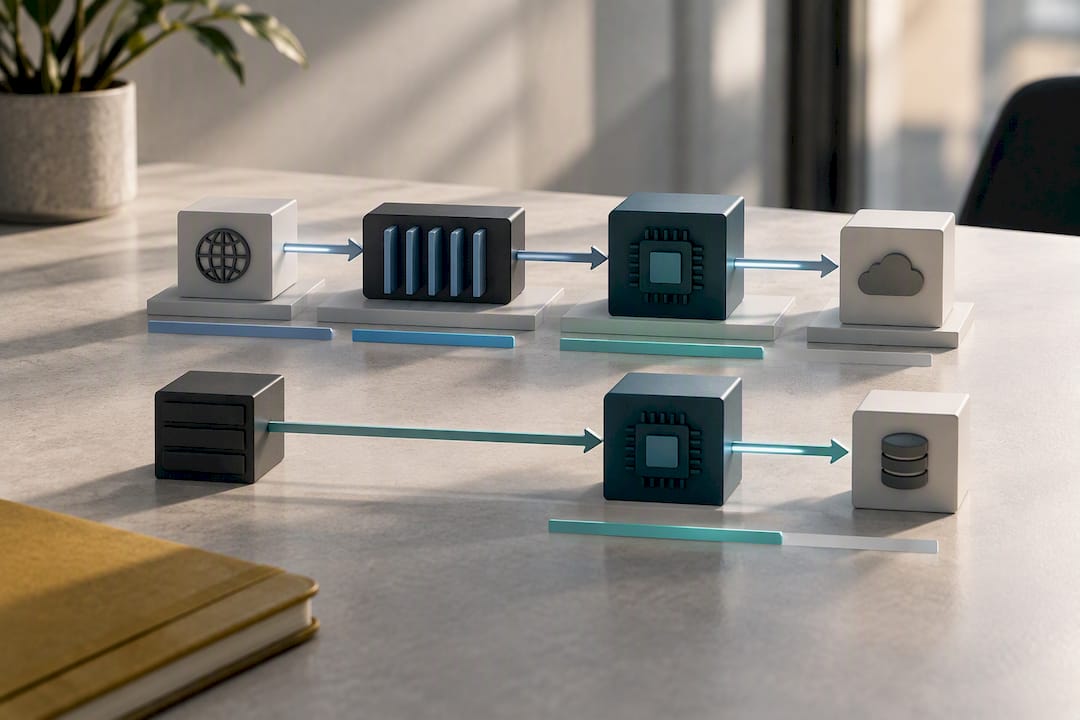
Latency decomposition studies show network round trip alone can add tens to low hundreds of milliseconds per request in cloud setups, before the model even starts computing. Queue time compounds that further during peak load, when your requests share GPU capacity with every other tenant on that cloud region. Local inference removes both variables, which is why on-premise deployments tend to have much tighter latency variance even when average latency is similar.
There is a hard ceiling here, though: VRAM capacity. If your model does not fit entirely in GPU memory, throughput collapses. A model spilling into system memory or across multiple GPUs with slow interconnects can run several times slower than the same model fully resident in VRAM. This is the single most common on-premise deployment mistake: buying hardware sized for the model's parameter count without accounting for the memory overhead of context windows, batch size, and key-value caching during inference.
- Measure actual p50, p95, and p99 latency under realistic concurrent load, not a single-request benchmark.
- Test with production-sized context windows, not the short prompts vendors use in marketing benchmarks.
- Run the same workload on comparable cloud instances to get an honest side-by-side.
Pro Tip: Before buying hardware, run your actual production prompts (not synthetic benchmarks) against a rented cloud GPU instance for two weeks. It's the cheapest way to find your real VRAM requirement before committing capital.
Does On-Premise AI Actually Improve Compliance and Security?
On-premise deployment can strengthen your compliance posture, but it does not do so automatically. It shifts responsibility onto your organization rather than eliminating risk.
Local control matters most for a few specific compliance patterns: contractual data-residency clauses that name a physical location, healthcare business associate agreements that require demonstrable custody of protected health information, and audit frameworks where a regulator wants to see exactly which systems touched sensitive records. Analysis of self-hosted AI security confirms that self-hosting reduces the risk of data passing through third-party hands, but a misconfigured on-premise system can end up less secure than a well-run managed cloud service. Owning the servers is not the same as securing them.
That responsibility shows up in a specific list of controls your team now owns directly, where previously a vendor owned them:
- Patch management for the operating system, drivers, and model-serving software, on a schedule you control and are accountable for.
- Role-based access control (RBAC) governing who can query, retrain, or export data from the model.
- Data loss prevention (DLP) tooling to catch sensitive data leaving through model outputs or logs.
- Prompt-injection defenses, since a locally hosted model is just as exposed to adversarial input as a cloud-hosted one.
- Centralized audit logging across every request, response, and model version change.
Multi-tenant on-premise environments add a subtler risk: shared GPU memory and prefix caching can leak information across tenants if isolation is not enforced at the hardware level. NVIDIA MIG (Multi-Instance GPU) partitioning, per-tenant namespaces, and mutual TLS between services are the standard mitigations here, and skipping them is one of the fastest ways to turn a security upgrade into a security incident.
Quick fact: Roughly 94% of the IT decision makers surveyed reported some regret with their initial AI infrastructure choice, often tied to underestimating exactly these governance requirements.
What Deployment Pattern Fits Your Workload?
Most organizations do not choose on-premise or cloud once and stay there. They end up hybrid by workload, and 96% of the IT leaders in the Cisco Omdia survey confirmed exactly that pattern. The question worth asking is not "on-premise or cloud," but which workload goes where.
A few patterns show up repeatedly in production environments:
- Prototype in cloud, move production on-premise. Build and iterate quickly with cloud flexibility, then migrate sensitive or high-volume production workloads once the model is stable.
- Local inference, cloud monitoring. Run inference on-premise for latency and control, while using cloud tools for observability, logging aggregation, and model drift detection.
- Hybrid retrieval-augmented generation (RAG). Keep the retrieval and indexing layer close to source systems, since repeated data movement between cloud and on-premise data stores gets expensive fast in multi-step agent workflows.
- Cloud-burst. Run baseline load on-premise, then burst overflow demand to cloud during peak periods rather than over-provisioning local hardware for rare spikes.
Air-gapped deployment is the extreme end of this spectrum, reserved for environments where no network connection to the outside world is acceptable. It solves a real security problem, but it creates a real operational one: model updates cannot ship instantly. Someone has to physically transfer new model weights, and that cadence needs to be planned in advance rather than discovered during an incident.
Whichever pattern you pick, favor vendor-agnostic model artifacts and containerized serving stacks. Locking your architecture to one cloud provider's proprietary format defeats much of the point of building hybrid flexibility in the first place.
What Does It Actually Take to Run On-Premise AI Day to Day?
Ongoing operational work is where most on-premise AI budgets get blown, and it rarely shows up in the initial hardware quote. Expect roughly 10 to 20 hours a month of dedicated engineering support for a modest deployment, scaling toward the 2 to 3 dedicated full-time engineers that architecture guides associate with larger, regulated setups.
Field reports from real deployments document the failure modes that eat those hours: security patches that trigger unexpected outages, multi-site synchronization failures when the same model needs to run consistently across locations, and PII masking redesigns discovered only after a compliance review flagged a gap. Each one extends mean time to recovery when nobody planned for it.
Three mitigations consistently reduce that risk:
- Canary and blue-green deployment for model updates, so a bad rollout affects a small slice of traffic before it affects everyone.
- Automated testing that validates model outputs against known cases before any update goes live in production.
- Observability tuned for drift and resource usage, not just uptime, since a model can be technically "up" while quietly degrading in accuracy.
Pro Tip: Budget your GPU refresh cycle the same way you'd budget a vehicle fleet, on a fixed schedule, not a "replace when it breaks" basis. Enterprise GPU procurement lead times can run months, and an unplanned failure during peak season is the worst possible time to discover that.
Procurement itself deserves its own line item in planning. Lead times for enterprise-grade GPUs have stretched unpredictably in recent buying cycles, and a hardware refresh that gets planned six months out avoids the scramble that happens when a critical card fails with no replacement in the supply chain.
How Do You Decide If On-Premise AI Is Right for Your Workload?
Run this checklist before spending a dollar on hardware:
- Rate data sensitivity. Does this workload touch regulated, proprietary, or contractually restricted data?
- Quantify latency needs. Is a 100 millisecond delay a minor annoyance or a broken user experience?
- Measure duty cycle. Is the model running near-continuously, or in short, unpredictable bursts?
- Assess engineering readiness. Do you have staff who can own patching, monitoring, and incident response?
- Set cost bounds. What is the maximum you can justify in fixed infrastructure cost against your break-even utilization estimate?
Once the checklist points toward on-premise, run a short pilot before committing to full procurement:
- Define one specific workload, not "AI in general," as the pilot scope.
- Collect real usage metrics (duty cycle, token volume, cache hit rate) for 30 to 90 days.
- Build a cost model using those real numbers against the 4 to 5.5 hour break-even benchmark.
- Test a hybrid version of the same workload before ruling cloud out entirely.
- Set explicit success criteria in advance: a latency target, a cost ceiling, or an accuracy threshold.
Bring finance, security, and the engineering team that will actually operate the system into this conversation early. The minimum evidence needed to greenlight full procurement is a working pilot with real utilization data, not a slide deck built on vendor benchmarks.
How Leapify Media Applies On-Premise AI in Home-Service Operations
Home-service dispatch is a near-perfect test case for on-premise AI: it demands low-latency decisions, it runs on a high, predictable duty cycle during business hours, and it touches customer data that businesses have every reason to keep close as explored in AI construction project visibility for managers. Leapify Media built its AI Dispatch for Trades infrastructure on in-house, on-premise servers rather than routing lead scoring through third-party AI providers, specifically to keep that call and lead data proprietary to the client.
That architecture choice shapes a few concrete implementation details:
- CRM integration happens on infrastructure Leapify Media controls end to end, which matters when dispatch decisions need to sync with CRM automation in near real time rather than waiting on an external API queue.
- Latency requirements for call routing are strict. A homeowner calling about a burst pipe will not wait through a slow handoff, which is exactly the kind of workload where removing network round trip earns its cost.
- Data ownership stays with the client relationship rather than passing through a generalist third-party model provider.
Editor's note: Verified client case studies and performance data for specific home-service partnerships are available on request and will be added here as they are published.
Author Perspective: Pragmatic Guidance for Enterprise IT Leaders
Hybrid should be your default position, not a compromise you settle for. Reserve on-premise for the workload classes where it earns its cost: high-duty-cycle inference, latency-critical decisions, and data you cannot contractually let leave the building. Everything else probably belongs in the cloud, at least until your usage numbers say otherwise.
The mistake I see most often is procurement happening before measurement. Teams buy GPUs based on a vendor's benchmark slide, not their own duty cycle data. Measure first. Pilot second. Buy hardware last, and only once the utilization math has actually proven itself against your own workload, not someone else's.
— Everson Gorski
Ready to Run On-Premise AI for Your Home-Service Business?
If your dispatch and lead-scoring decisions are running through a third-party AI vendor right now, you are handing your call data, your customer history, and your pricing logic to someone else's servers. Leapify Media built its infrastructure the other way around: in-house engineered, on-premise, with your data kept proprietary rather than pooled with every other account on a shared model.

The On-Premise AI Dispatch service runs at 1,000 dollars per month, with a one-time AI Dispatch Setup fee of 7,500 dollars to build the intent scoring and CRM connections around your specific call volume, and it pairs naturally with CRM Integration starting from $3,000 one-off for businesses that need their dispatch decisions syncing directly into an existing system. Full package pricing for combined services starts with the Foundation plan at $2,500 per month. Browse the complete service breakdown and book a pilot conversation to see whether your current call volume clears the utilization threshold that makes on-premise dispatch worth running.
Sources
- Cisco AI infrastructure report (Omdia survey)
- Is On-Premise AI Cheaper Than Cloud AI? A TCO and Security Breakdown | Monterail blog
- Cloud APIs vs. On-Prem AI Appliances: Latency, Cost, and Security - OpenAI Suite
- Real On-Premises AI Deployment Problems — Field Report Ep.1 | Allganize
FAQ
What Does "On-Premise AI" Actually Mean?
On-premise AI means running inference and, often, training on servers physically owned or leased by your organization rather than on a cloud provider's shared infrastructure. Data and model weights stay inside your network boundary instead of transiting a third-party API.
What Is the 30% Rule Sometimes Mentioned With AI Deployment?
There is no single standardized "30% rule" recognized across the industry; the phrase gets used loosely and inconsistently depending on the source. Rather than rely on that framing, base deployment decisions on your actual duty cycle and the 4 to 5.5 hour daily break-even threshold documented in production TCO studies.
Can AI Be Deployed On-Premise for Any Workload?
Technically, yes, most models that run in the cloud can also run on local hardware, provided the model fits within your available GPU memory. Practically, it makes the most sense for high-duty-cycle, latency-sensitive, or data-sensitive workloads rather than sporadic or low-volume use cases where cloud stays cheaper.
What Are the Main Benefits of On-Premise AI?
The four core benefits are tighter data control, predictable latency free of network round trip delays, lower cost once utilization clears the 4 to 5.5 hour daily break-even threshold, and full control over model customization and governance. The trade-off is that your team now owns patching, staffing, and hardware refresh cycles directly.
How Much Does Leapify Media Charge for On-Premise AI Dispatch?
Leapify Media's On-Premise AI Dispatch service is priced at $1,000 per month, with a one-time AI Dispatch Setup fee of $7,500 to configure intent scoring and integrations for your specific operation. Full pricing details for all plans are listed on the pricing page.