

Use the key-value model as your default UTM naming convention, enforce lowercase everywhere, lock utm_source and utm_medium to a controlled vocabulary, and deploy a validated URL builder so no one types those fields free-form. Those three rules prevent a majority of attribution fragmentation before it starts.
TL;DR:
- Key-value naming (e.g.,
src-google|med-cpc|cmp-hvac-leads-2026q2) is position-independent, regex-friendly, and scales without breaking when fields are added or skipped. - Positional/descriptive naming works for small, disciplined teams with strict templates and no plans to grow the parameter set.
- Cryptic/ID-based naming belongs only in stacks where a lookup table is guaranteed to exist and be maintained.
Your next 24 hours:
- Audit your last 30 days of GA4 acquisition data for case variants and missing utm_medium values.
- Build a Google Sheet with dropdown-only columns for utm_source and utm_medium using your approved vocabulary.
- Share the sheet with every person who creates campaign links and retire any free-text process immediately.
Table of Contents
- What are the five UTM parameters and what should each contain?
- Why consistent UTM naming protects your attribution and your budget
- How do the three UTM naming models compare?
- Practical UTM naming rules checklist you can enforce today
- How do you build a validated URL builder and QA pipeline?
- Concrete examples and copy-paste templates for common campaign types
- Common UTM mistakes, how to diagnose fragmentation, and how to fix legacy data
- Key Takeaways
- The part of UTM governance nobody talks about
- Clean attribution starts before the campaign goes live
- Authoritative sources and further reading
What are the five UTM parameters and what should each contain?
Every UTM string is built from five standard parameters defined by Google Analytics. Understanding what each one is for determines how tightly you should control it.
| Parameter | Purpose | Example values | Enforcement level |
|---|---|---|---|
| utm_source | Identifies the platform or publisher sending traffic | google, facebook, newsletter-weekly | Controlled vocabulary — locked dropdown |
| utm_medium | Identifies the marketing channel type | cpc, email, organic-social, affiliate | Controlled vocabulary — must map to GA4 channel groups |
| utm_campaign | Names the specific campaign or initiative | hvac-leads-2026q2, roofing-spring-promo | Semi-flexible — follow naming formula, date required |
| utm_term | Captures the paid keyword or audience segment | emergency-plumber, hvac-install | Optional; used for paid search and paid social targeting |
| utm_content | Differentiates creatives, ad variants, or links | cta-blue-btn, hero-video-v2 | Flexible — follow A/B naming pattern |
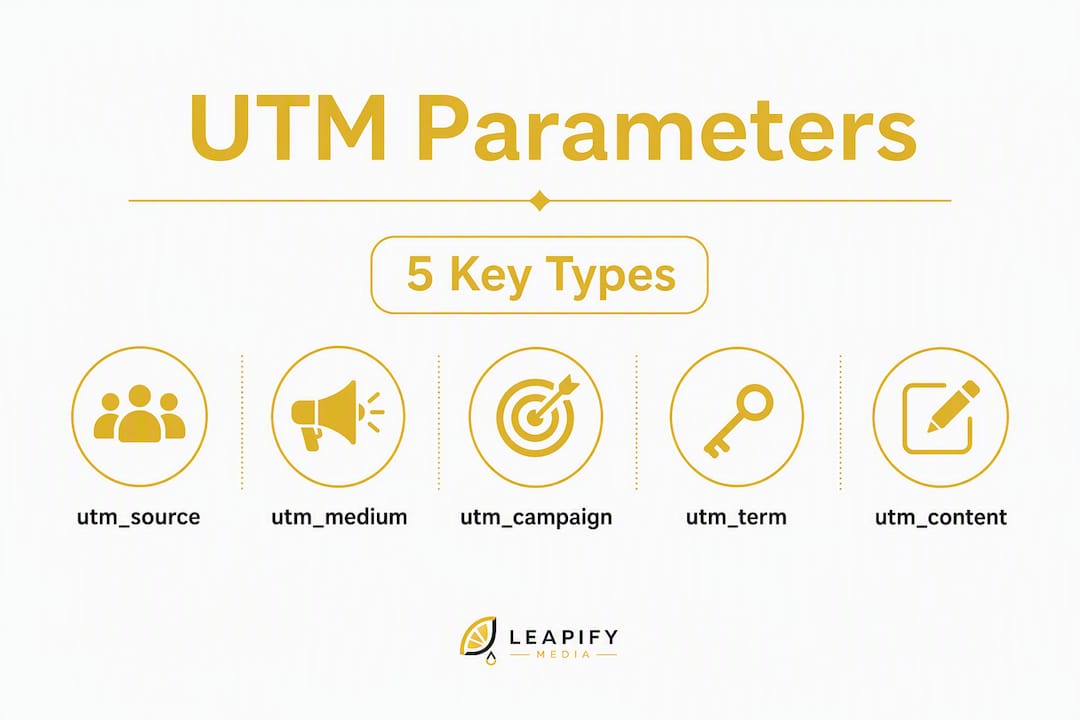
A correctly tagged URL looks like this:
https://example.com/hvac?utm_source=google&utm_medium=cpc&utm_campaign=hvac-leads-2026q2&utm_term=emergency-hvac&utm_content=cta-blue-btn
The Google Analytics URL builder documentation specifies that utm_source, utm_medium, and utm_campaign are required for every tagged link. utm_term and utm_content are optional but worth using consistently once your team has a naming formula for them.
Two things to know about utm_medium specifically: GA4 maps it directly to default channel groups (Paid Search, Email, Organic Social, and so on), so a value like "Email" instead of "email" creates a separate unrecognized channel. And Google Ads auto-tagging via gclid populates GA4 fields automatically but does not write UTM values into most CRMs. If your CRM tracks original lead source, you still need manual UTM tagging on every Google Ads URL, regardless of auto-tagging status.
A sixth parameter, utm_id, is worth mentioning. It carries a campaign ID that links the hit to a specific row in your campaign management system. Use it when your team runs a lookup-table architecture or needs to reconcile GA4 data with an external ad platform's campaign record.
Why consistent UTM naming protects your attribution and your budget
Inconsistent UTMs do not just make reports messy. They actively destroy the signal you need to make budget decisions.
The most common fragmentation pattern is case variance. utm_source=Google and utm_source=google appear as two separate sources in GA4's Acquisition reports. There is no deduplication. Once the data is fragmented, merging it requires reprocessing raw event logs from BigQuery — and only if you have that export configured. Most teams do not, which means the fragmented data is permanent.
The second pattern is channel misclassification. When utm_medium carries a value GA4 does not recognize ("e-mail", "paid", "social-media"), the traffic lands in the "(Other)" channel bucket. That bucket is a black hole for attribution. Any conversion tied to it cannot be credited to a channel, which means your ROAS calculation for that channel is understated and your budget allocation decisions are built on incomplete data.
A third pattern is truncated campaign names. GA4 truncates long campaign name strings in the interface, which means two campaigns with similar prefixes look identical in reports. An analyst who does not know to check the raw parameter value will misread performance data.
The business cost is real. Analysts spend hours each month reconciling split sources and remapping misclassified channels instead of doing actual analysis. Marketing managers make budget calls based on channel data that is incomplete because a portion of conversions landed in "(Other)." A single enforced naming standard, applied at link creation time, eliminates most of this before it happens.
How do the three UTM naming models compare?
The three main UTM convention models are Descriptive/Positional, Cryptic (ID-based), and Key-Value. Each makes a different tradeoff between human readability, machine parseability, and brittleness.
Descriptive/positional
A positional string encodes metadata by field order. Each segment's meaning depends on its position in the string.

Example: utm_campaign=us-q2-hvac-leads-cpc
Fields read left to right as: region, quarter, product, goal, tactic. The format is readable and requires no lookup table. The problem is position dependency. If a campaign does not have a region (because it is national), the team either leaves the slot blank (shifting all subsequent fields) or fills it with a placeholder like "all." Both approaches silently corrupt data interpretation downstream. Add a new field later and every historical string becomes incompatible with the new schema.
Pros: Human-readable, no tooling required, fast to adopt. Cons: Brittle when fields are skipped, breaks on schema changes, requires strict team discipline to maintain field order.
Cryptic (ID-based)
A cryptic string uses an opaque identifier that maps to a record in an external system.
Example: utm_campaign=cmp-00847
The ID is short, unambiguous, and immune to typos in descriptive text. It works well in enterprise stacks where a campaign management system or data warehouse holds the lookup table.
Pros: Short, no free-text errors, integrates cleanly with campaign management systems. Cons: Completely unreadable without the lookup table, requires infrastructure to maintain that table, useless if the lookup table is lost or out of date.
Key-value (self-documenting)
A key-value string prefixes each segment with its own label, making every field self-identifying regardless of position.

Example: utm_campaign=prod-hvac|aud-homeowners|goal-leads|date-2026q2
Key-value naming is position-independent and extensible: you can add or skip a field without shifting anything else. Regex extraction in BigQuery or any warehouse is straightforward because each key is a named anchor. The format is slightly longer than positional strings but still readable by a human who knows the key prefixes.
Pros: Position-independent, extensible, regex-friendly, self-documenting. Cons: Slightly longer strings, requires team agreement on key prefixes, needs a URL builder to enforce prefix consistency.
Which model fits your team?
| Team size / context | Recommended model | Key tradeoff |
|---|---|---|
| Small team (1–3 people), strict discipline | Positional/Descriptive | Fast to adopt, brittle at scale |
| Mid-sized team, growing channel mix | Key-Value | Requires builder enforcement, pays off quickly |
| Enterprise with campaign management system | Cryptic or Key-Value hybrid | Needs lookup table infrastructure |
The position dependency trap is the single biggest reason teams outgrow positional naming without realizing it. One skipped field in a positional string shifts every subsequent segment. The error is invisible in the URL but shows up as garbled campaign data in reports weeks later. Key-value naming eliminates this entirely.
Practical UTM naming rules checklist you can enforce today
These rules apply regardless of which model your team uses. Treat them as the floor, not the ceiling.
- Lowercase only, always. Every character in every UTM value must be lowercase.
utm_source=LinkedInandutm_source=linkedinare different values in GA4. No exceptions, no auto-correction after the fact. - Hyphens as word separators within a field. Use hyphens between words inside a single parameter value (
paid-social, notpaid_socialorpaid social). Underscores are readable but inconsistent across platforms; spaces encode as%20and break URLs. - No special characters except hyphens and pipes. Ampersands, slashes, and brackets break URL parsing. Pipes (
|) are acceptable as field separators in key-value strings. - Keep campaign names under roughly 50 characters. GA4 truncates long campaign name strings in the interface. A formula like
[product]-[audience]-[goal]-[YYYYMM]fits within that limit and gives you enough metadata to parse the name without a lookup table. - Use YYYYMM or YYYY-QX for dates in campaign names.
2026q2or202606both sort chronologically and make year-over-year comparisons straightforward. Avoidjun26orsummer— neither sorts correctly and neither tells you the year at a glance. - Map utm_medium values to GA4 default channel groups. GA4 recognizes specific medium values for channel classification. Use
cpcfor paid search,emailfor email,organic-socialfor unpaid social,affiliatefor partner traffic, anddisplayfor display ads. Any value outside GA4's recognized set lands in "(Other)." - Require utm_source, utm_medium, and utm_campaign on every tagged link. These three are the minimum for meaningful attribution. A link missing utm_medium is worse than an untagged link because it creates a partial record that looks complete.
- Lock utm_source and utm_medium to a controlled vocabulary. These two fields drive channel classification. A naming convention that survives a quarter uses controlled vocabularies for source and medium as its foundation. Free-text input for these fields is the single largest source of fragmentation.
- Allow utm_campaign and utm_content to be semi-flexible. Campaign names and content labels need to describe specific initiatives and creative variants. Give teams a formula to follow, but do not lock them to a dropdown for these fields. A URL builder with a formula prompt is the right enforcement mechanism here.
- Version your controlled vocabulary. When you add a new approved source or medium value, document the date it was added and who approved it. This makes audits faster and gives you a clear record for remapping legacy values.
Pro Tip: Set up a Google Sheet with Data Validation dropdowns for utm_source and utm_medium. Anyone building a link selects from the approved list rather than typing free-form. This single change eliminates the majority of case and spelling variants without any custom tooling.
How do you build a validated URL builder and QA pipeline?
Documentation alone does not enforce naming standards. Governance must be active: tooling that enforces rules at creation time, not a doc on Confluence that people forget to read. The goal is to make the correct choice the only choice for the fields that matter most.
Governance pillars
Four pillars hold a UTM governance system together: controlled vocabularies, mandatory fields, templates, and ownership. Controlled vocabularies define the approved values for utm_source and utm_medium. Mandatory fields ensure utm_source, utm_medium, and utm_campaign are always present. Templates give teams a formula for campaign and content naming. Ownership defines who can add new values to the vocabulary and who reviews the monthly audit.
Tooling options
| Tool type | What it solves | Best for |
|---|---|---|
| Google Sheets with Data Validation | Dropdown enforcement for source/medium, formula prompts for campaign | Small to mid-sized teams, fast to deploy |
| Internal web UI URL builder | Full field validation, auto-lowercase, copy-to-clipboard output | Mid-sized to large teams, multiple channels |
| CMS or ad platform template | Enforces naming at the point of ad creation | Paid media teams running high-volume campaigns |
| Warehouse QA query (BigQuery) | Detects near-duplicate values, case variants, missing fields post-publish | Analytics teams with data warehouse access |
Practical templates and enforced naming patterns reduce the need for long ad-hoc cleanup tasks and can be implemented with a validated Google Sheet before you ever build a custom tool. Start there, then graduate to a web UI when the Sheet becomes a bottleneck.
Validation rules and regex examples
For utm_campaign, a basic validation regex looks like this: ^[a-z0-9][a-z0-9\-|]{3,49}$. This enforces lowercase, allows hyphens and pipes, requires at least 4 characters, and caps the string at 50 characters.
For utm_content, a looser pattern works: ^[a-z0-9][a-z0-9\-]{2,39}$. This allows descriptive creative labels while blocking uppercase and special characters.
QA process checklist
- Pre-publish: Run every new URL through the builder's validation before it goes live. No manual links for utm_source or utm_medium.
- Weekly spot check: Pull a sample of new UTM-tagged URLs from GA4 or your CRM and verify source/medium values match the approved vocabulary.
- Monthly audit: Query GA4 or BigQuery for all distinct utm_source and utm_medium values from the past 30 days. Flag any value not in the approved list. Assign a remediation owner.
- Onboarding: Every new team member who creates campaign links completes a 30-minute UTM governance walkthrough before getting access to the URL builder.
- Change requests: New vocabulary values require written approval from the analytics owner. Document the date, the requester, and the use case.
For home service marketing teams running Google Ads and Meta Ads simultaneously, the monthly audit is especially important because both platforms can overwrite or append parameters in ways that break your naming schema if final URL templates are not configured correctly.
Concrete examples and copy-paste templates for common campaign types
The templates below use the key-value model for utm_campaign and controlled vocabulary for utm_source and utm_medium. Copy, adjust the bracketed fields, and paste into your URL builder.
Platform to utm_source and channel to utm_medium mapping:
| Platform / channel | utm_source | utm_medium |
|---|---|---|
| Google Ads (paid search) | cpc | |
| Meta Ads (Facebook/Instagram) | facebook or instagram | paid-social |
| Email newsletter | newsletter-weekly or newsletter-promo | |
| Organic social post | facebook, instagram, linkedin | organic-social |
| Affiliate / partner | [partner-name] | affiliate |
| Offline / QR code | print-flyer or direct-mail | offline |
| Google Local Service Ads | google-lsa | cpc |
Campaign templates by type:
- Paid search (HVAC):
utm_source=google&utm_medium=cpc&utm_campaign=prod-hvac|aud-homeowners|goal-leads|date-2026q2&utm_term=emergency-hvac-repair&utm_content=cta-call-now - Paid social (roofing):
utm_source=facebook&utm_medium=paid-social&utm_campaign=prod-roofing|aud-homeowners|goal-leads|date-202606&utm_content=hero-video-v1 - Email newsletter:
utm_source=newsletter-weekly&utm_medium=email&utm_campaign=prod-hvac|seg-existing|goal-upsell|date-202606&utm_content=cta-schedule-tune-up - Organic social:
utm_source=instagram&utm_medium=organic-social&utm_campaign=prod-plumbing|goal-awareness|date-2026q2&utm_content=before-after-post - Affiliate/partner:
utm_source=angi&utm_medium=affiliate&utm_campaign=prod-hvac|goal-leads|date-2026q2 - Offline/QR (direct mail):
utm_source=direct-mail&utm_medium=offline&utm_campaign=prod-roofing|geo-dallas|goal-leads|date-202606
In each template, utm_source and utm_medium are controlled (select from the approved list). The utm_campaign key-value pairs are semi-flexible: prod, aud, goal, geo, seg, and date are the approved key prefixes, but the values after each prefix are descriptive. For HVAC and plumbing campaigns specifically, adding a geo key for regional targeting makes year-over-year market comparisons much faster to pull.
Pro Tip: Flag utm_content as free-form in your builder but require it to follow a pattern: [element]-[variant]. Examples: cta-blue-v1, hero-video-v2, headline-discount-10pct. This keeps A/B test data readable without locking down creativity.
Common UTM mistakes, how to diagnose fragmentation, and how to fix legacy data
The most common UTM mistakes are inconsistent case and format, missing utm_medium, and the absence of an enforced process. Each one produces a different failure pattern in your reports.
Common mistakes
- Case variance:
utm_source=Googlevs.utm_source=googlecreates two separate source records. Fix: enforce lowercase at the builder level and run a monthly audit query. - Missing utm_medium: Traffic with utm_source but no utm_medium lands in GA4 as "(not set)" or misclassified. Fix: make utm_medium a required field in your builder with no blank option.
- Ad platform parameter overwriting: Google Ads ValueTrack parameters and Meta's URL parameters can overwrite or conflict with manually set UTMs if final URL templates are misconfigured. Fix: audit your ad platform URL templates and confirm UTM parameters are appended correctly, not duplicated.
- Duplicated campaign names: Running the same campaign name across multiple channels makes channel-level performance impossible to isolate. Fix: include utm_source context in the campaign name formula or rely on the source/medium combination for channel separation.
- Accidental URL encoding: Spaces in UTM values encode as
%20and create a third variant distinct from both the hyphenated and space versions. Fix: the URL builder should auto-encode or reject spaces before generating the link.
Diagnostic steps
In GA4, go to Reports > Acquisition > Traffic Acquisition and export the utm_source and utm_medium dimension combinations for the past 90 days. Sort by sessions descending. Look for near-duplicate rows: google / cpc and Google / CPC appearing separately is the clearest sign of a case-variance problem.
In BigQuery, a query grouping by LOWER(traffic_source.source) and comparing the count to the raw traffic_source.source count will surface every case variant. Any row where the two counts differ is a fragmentation point.
In your CRM, check the original lead source field for the same 90-day window. If you see values like "Google Ads," "google ads," and "Google-Ads" as separate entries, your UTMs are not flowing into the CRM consistently, or the CRM is normalizing values differently than GA4.
Fix recipes
For GA4, use channel grouping overrides in the Admin panel to remap known bad values to the correct channel. This does not fix the raw data but corrects the channel attribution going forward and in reports that use the channel dimension.
For warehouse consolidation, build a mapping table with two columns: raw_value and canonical_value. Join this table to your events data in every reporting query. Update the mapping table as new variants appear. This is the only reliable way to retroactively correct fragmented historical data without reprocessing raw logs.
For live campaigns with bad UTMs, create new tagged URLs using the correct convention, swap them into the ad platform, and add the old campaign name variants to your mapping table. Do not delete the old URLs from the platform mid-flight; let them finish the flight period and then retire them.
For Google Local Service Ads, note that LSA does not support custom UTM parameters in the same way standard Google Ads does. Track LSA traffic by configuring a separate utm_source value at the account level where the platform allows it, and supplement with CRM source tracking.
Monitoring checklist
- Set a GA4 custom alert for any new utm_medium value that does not match your approved list.
- Run the BigQuery case-variant query monthly and assign remediation to a named owner.
- Review the CRM original-source field quarterly for new fragmentation patterns.
- Audit ad platform URL templates every time a new campaign type or platform is added.
Key Takeaways
A consistent UTM naming convention, enforced at link creation through a validated URL builder, is the single highest-leverage action a marketing team can take to protect attribution accuracy.
| Point | Details |
|---|---|
| Key-value is the default model | Use key-value naming for any team that plans to grow its channel mix or add parameters over time. |
| Three non-negotiable rules | Lowercase everywhere, controlled vocabulary for utm_source and utm_medium, and a validated URL builder for those fields. |
| utm_medium drives channel classification | Map every utm_medium value to GA4's default channel groups or traffic lands in "(Other)" and attribution breaks. |
| Governance requires tooling | A Google Sheet with dropdown validation is sufficient to start; upgrade to a web UI builder as volume grows. |
| Leapify Media implements UTM governance | Leapify Media sets up URL builders, controlled vocabularies, and monthly QA pipelines for home service marketing teams. |
The part of UTM governance nobody talks about
Most UTM guides focus on the rules. The rules are the easy part. You can write them in an afternoon. The hard part is getting a team of five people, across three agencies and two ad platforms, to follow them six months from now when the person who wrote the rules has moved on.
The teams that actually maintain clean attribution data share one thing: they made the correct behavior the path of least resistance. Not the required behavior. The easiest behavior. A URL builder where utm_source and utm_medium are dropdowns is not just an enforcement mechanism. It is a design decision that removes the cognitive load of remembering the approved values. Nobody has to consult a doc. The doc is the tool.
The second thing those teams do is treat the monthly audit as a standing meeting, not a quarterly fire drill. Fifteen minutes reviewing the BigQuery case-variant query catches problems when they are small. Waiting three months means you are remapping 90 days of fragmented data instead of two weeks.
One more thing worth saying: UTMs do not affect SEO. There is a persistent myth that UTM parameters hurt search rankings because they create duplicate URLs. They do not. Google treats UTM parameters as query strings and canonicalizes them correctly. Name for clarity and auditability, not for secrecy or brevity. A self-documenting key-value string that tells you exactly what the campaign was, six months later, is worth far more than a cryptic ID that saves you 20 characters.
Clean attribution starts before the campaign goes live
Home service marketing teams running Google Ads, Meta Ads, and email simultaneously face a specific version of the UTM problem: multiple platforms, multiple people building links, and a CRM that needs to match GA4 data for lead attribution. Getting that right manually is not realistic at any meaningful volume.

Leapify Media builds the UTM governance infrastructure for home service operators so attribution is clean from day one, not patched together after a bad quarter. The setup includes a validated URL builder configured for your channel mix, a controlled vocabulary locked to your approved sources and mediums, campaign name templates for paid search, paid social, email, and offline, and a monthly QA audit that catches drift before it compounds. For teams already running campaigns, the engagement starts with a full attribution audit to quantify existing fragmentation and map legacy values to a canonical standard.
If your GA4 reports show "(Other)" as a top channel or your CRM original-source data does not match your ad platform spend, those are fixable problems. See what Leapify Media builds for home service operators or get an overview of the full growth infrastructure to start with a discovery call.
Authoritative sources and further reading
- Advanced UTM Naming Conventions Guide (UTM Generator) — Primary source for key-value model mechanics, position-dependency trap explanation, and regex extraction examples.
- URL Builders: Collect Campaign Data with Custom URLs (Google Analytics Help) — Google's official documentation on required parameters, recommended values, and URL builder usage.