
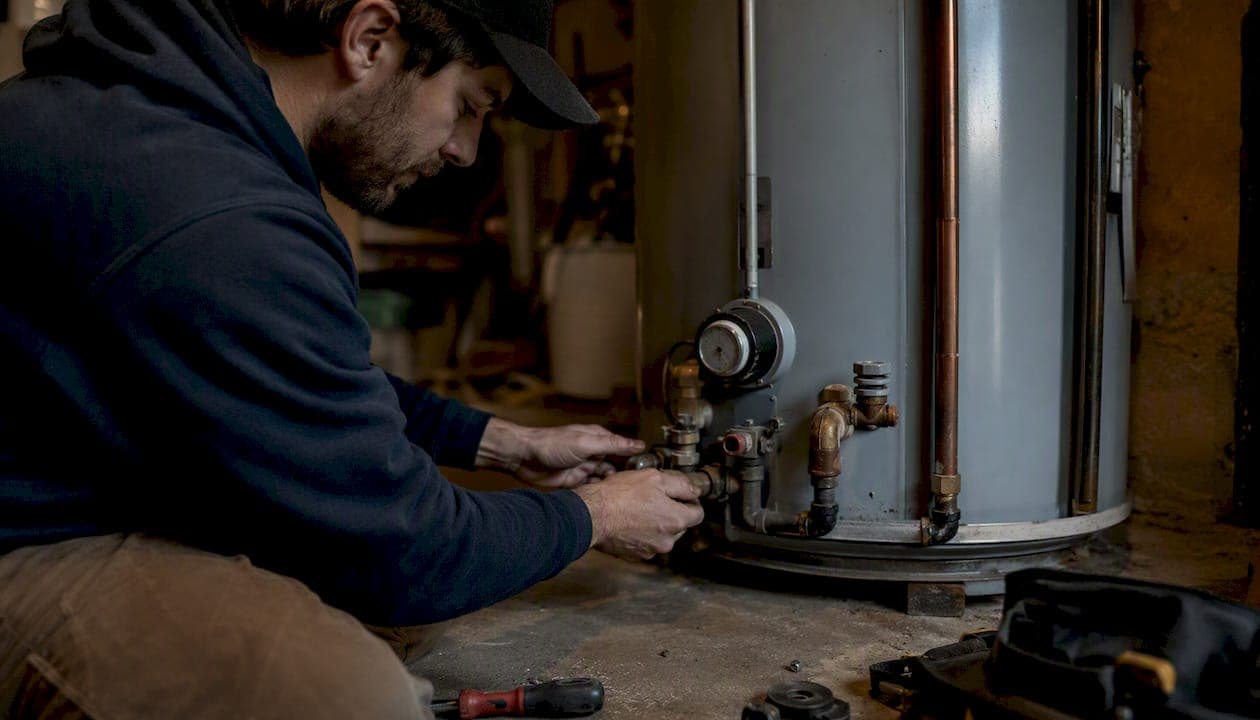
Meta ads work for plumbing businesses when the offer matches what homeowners plan ahead for: water heater replacements, repiping assessments, tankless upgrades, drain cleaning specials, and maintenance memberships. They do not reliably capture emergency calls, which typically go to Google (burst pipe at 2 AM). That distinction shapes every decision below.
Three things to do in the next 24–72 hours:
- Pick one planned-service offer with a clear price or financing hook (e.g., "$99 sewer camera inspection" or "tankless upgrade from $89/mo")
- Set a $30–$50/day test budget in Meta Ads Manager, choose the Leads objective, and configure an Instant Form with three fields: name, phone, and zip code
- Connect your CRM to route every new lead to an automated SMS within 5 minutes and flag it for a callback within 15 minutes
Before you scale, enable these tools: Meta Business Suite, Meta Ads Manager, Meta Pixel, Conversions API (CAPI), and a CRM capable of offline event upload. Without CAPI and offline upload, you're optimizing for form fills, not booked jobs.
Key Takeaways
Facebook ads for plumbers work reliably when the offer targets planned services, tracking measures booked jobs via CAPI and offline upload, and follow-up reaches every lead within 15 minutes.
| Point | Details |
|---|---|
| Match offer to channel | Use Meta for planned services (inspections, installs, memberships); use Google LSA for emergency repairs. |
| CPL benchmarks | Blended CPL runs $34–$58; high-ticket leads $95–$140; cost per booked job $280–$520 with proper tracking. |
| CAPI + offline upload | Server-side tracking restores iOS-lost signal and teaches Meta's algorithm which leads become paying customers. |
| Follow-up speed | Contact Meta leads within 15 minutes; booking rates drop sharply after 30 minutes without contact. |
| Leapify Media | Full-service Meta Ads management with on-premise AI lead scoring and CRM integration for home service businesses. |
Table of Contents
- Why do Facebook ads work for plumbers when Google doesn't?
- What offers actually convert on plumbing Facebook ads?
- How do you build a Meta campaign for plumbing leads step by step?
- Which ad formats work best for plumbing campaigns?
- How should you target audiences for local plumbing ads?
- What budget should you start with, and what CPL should you expect?
- What tracking setup do you need to measure booked jobs?
- Why do plumbing Facebook ads fail, and how do you fix them?
- How AI lead scoring turns Meta leads into booked jobs faster
- What Leapify Media sees working across plumbing Meta accounts
- Leapify Media handles the Meta ads so you can focus on the jobs
- Sources
Why do Facebook ads work for plumbers when Google doesn't?
Google Search and Meta ads solve different problems. Google captures demand that already exists: someone's water heater failed, they search "emergency plumber near me," and they call the first result. Meta creates demand by interrupting a homeowner scrolling Instagram who hasn't thought about their aging water heater yet but will when you show them a compelling reason to act.
That intent gap is exactly why cross-channel lift is real. Contractors running Facebook and search together have reported reducing their cost per lead by a notable margin compared to running either channel alone. Meta warms up homeowners who later convert on branded search or LSA.
Three scenarios where Meta consistently outperforms search for plumbers:
Planned installs and replacements. A homeowner with a 12-year-old water heater isn't searching yet, but they'll respond to a Facebook ad about a safety inspection or a financing offer. The purchase is weeks or months away, and Meta gets you in front of them first.
Financing-led upgrades. Tankless conversions, whole-home repiping, and water softener installs carry $4,000–$15,000 price tags. Homeowners need to be sold on the idea before they search. Meta video ads that explain the ROI and monthly payment options do that job.
Maintenance membership recruitment. Recurring revenue from annual flush-and-inspect plans or priority service memberships is nearly impossible to capture through emergency search. Meta lets you target homeowners in your service area with a specific membership pitch and retarget anyone who clicked but didn't convert.
For emergency repairs, Google Local Service Ads remain the right channel. A homeowner with a flooded basement is not browsing Facebook. The recommended channel mix: run LSA and Google Search for emergency and high-intent demand, layer Meta on top for planned services and membership recruitment.
What offers actually convert on plumbing Facebook ads?
The offer is the single biggest variable in whether a Meta campaign produces booked jobs or just form fills. Here are the offers that consistently perform, ranked by ease of conversion:
- $99 sewer camera inspection. Low price point, clear deliverable, easy yes. Works well with Instant Forms because the commitment is low and the value is obvious.
- Water heater safety check or replacement. "Your water heater has a 10-year lifespan — is yours overdue?" frames urgency without manufactured scarcity. Pair with a financing option for higher ticket.
- Seasonal drain cleaning special. Time-bound offers ("Spring special through May 31") create natural urgency and perform well in Q1 and Q4 when homeowners think about maintenance.
- Tankless water heater upgrade with financing. "From $89/month" framing removes the sticker shock. Send this to a landing page, not a lead form, because the ticket size justifies a longer conversion path.
- Whole-home repipe assessment. Free or low-cost assessment offer works as a lead magnet. Requires fast follow-up and a skilled estimator on the phone.
- Maintenance membership. Recurring revenue pitch. Works best in retargeting campaigns aimed at past customers or website visitors.
Offer framing checklist:
- One clear next step (book, call, claim) — not "learn more"
- Price or financing stated explicitly, even if approximate
- Trust signals in the ad: license number, years in business, review count, before/after photo
- Scarcity that's real: limited appointment slots, seasonal timing, or a genuine promotional window
Pro Tip: Send low-ticket entry offers ($99 inspection, drain cleaning special) to Meta Instant Forms for the lowest CPL. Send high-ticket offers (tankless install, repipe) to a dedicated plumber landing page with a phone number prominently above the fold. High-ticket buyers want to talk before they commit, and a landing page gives them that path.
How do you build a Meta campaign for plumbing leads step by step?
Campaign structure
Step 1: Choose your objective. Use the Leads objective for Instant Form campaigns. Use Conversions (with a Purchase or Lead event firing on your landing page) when sending traffic to a plumbing landing page. Use Traffic only for retargeting warm audiences to a video or blog post — never as your primary lead-gen objective.
Step 2: Name your campaigns consistently. A clean naming convention prevents reporting chaos at scale. Example: PLB | Water Heater | Lead Form | Homeowners 35-65 | [Date]. Include service line, offer, conversion method, audience type, and launch date.
Step 3: Set campaign budget. Use Campaign Budget Optimization (CBO) for campaigns with two or more ad sets. Start at $30–$50/day per campaign during the test phase. Let Meta's algorithm distribute spend across ad sets rather than capping each one manually.
Step 4: Build your audiences. See the targeting section below for full audience recipes.
Step 5: Create your ads. One to three creatives per ad set during testing. Rotate image, video, and carousel to find what stops the scroll in your market.
Conversion path decision
| Offer type | Conversion method | Why |
|---|---|---|
| $99 inspection, drain clean special | Instant Form (3 fields) | Low friction, low CPL, fast lead volume |
| Tankless upgrade, repipe assessment | Landing page + phone number | High ticket needs trust-building before commitment |
| Maintenance membership | Instant Form or landing page | Test both; membership pitch is moderate commitment |
| Retargeting warm visitors | Landing page | They already know you; remove friction at checkout |
Instant Form pros: Lower CPL, no page load friction, mobile-native. Instant Form cons: Lower intent leads, higher no-contact rate. Practitioner guidance is clear: Instant Forms need a follow-up system that contacts leads within 15 minutes or conversion rates collapse.
Step 6: Connect your CRM. Route every Instant Form lead to your CRM via webhook or Zapier. Tag the lead source, service interest, and zip code. Trigger an automated SMS within 5 minutes and a callback task within 15. This single step separates plumbers who get booked jobs from those who get form fills.
Step 7: Upload offline events. Once a lead becomes a booked job, upload that event back to Meta via the offline conversions tool or CAPI. This teaches the algorithm which leads actually pay, not just which ones fill out a form.
Step 8: Run for 30 days before judging. Meta's algorithm needs roughly 50 conversion events per ad set per week to exit the learning phase. At $30–$50/day, that takes 3–4 weeks for most plumbing markets. Don't pause campaigns in week one because CPL looks high.
Which ad formats work best for plumbing campaigns?
Format primer
Image ads are the workhorse of local plumbing campaigns. A clean before/after photo, a bold headline, and a clear offer convert reliably. Lowest production cost, easiest to test at volume.
Video ads outperform images for high-ticket offers and retargeting. A 30–60 second video of a technician explaining why a 12-year-old water heater is a liability, or a customer testimonial shot on-site, builds the trust a $6,000 tankless install requires.
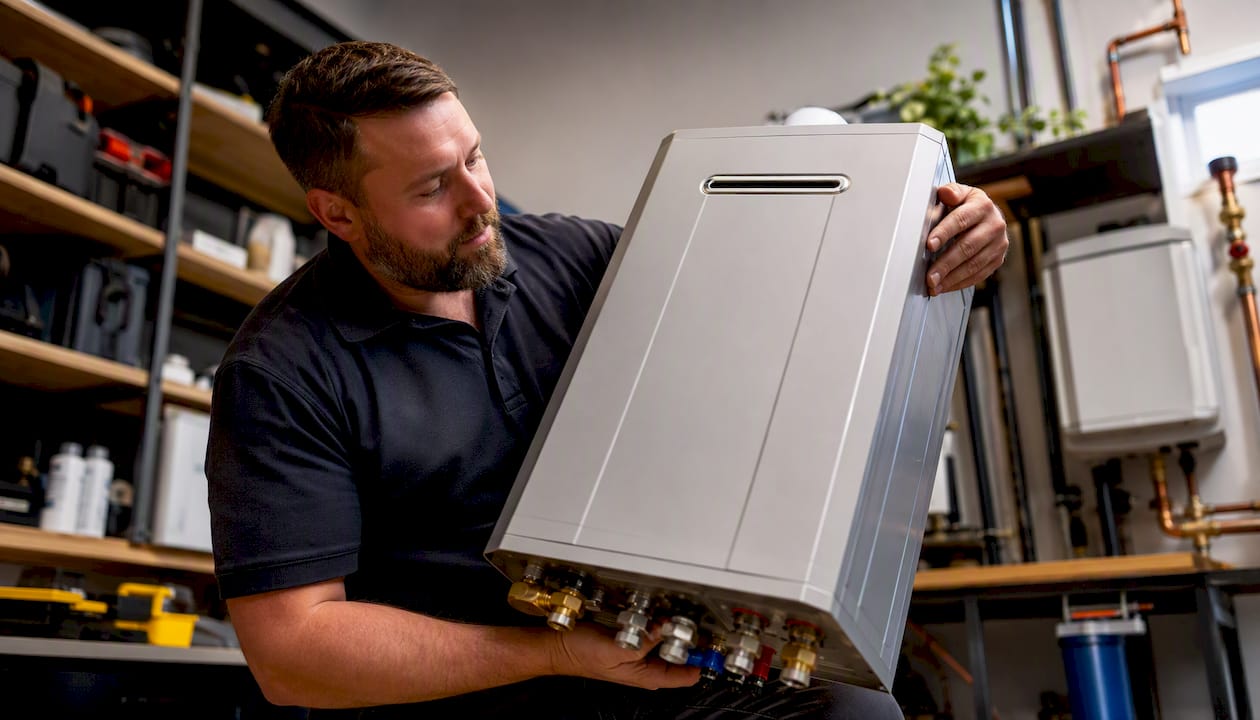
Carousel ads work well for showcasing multiple services (water heater, drain cleaning, repipe) or walking through a before/after sequence in three to five frames. Each card can link to a different landing page.
Instant Experience / Collection ads are full-screen mobile experiences that load inside Facebook. Useful for membership pitches or multi-service promotions where you want to tell a longer story without sending someone off-platform.
Meta Lead Ads (Instant Forms) are the format, not just a placement. The form opens natively inside Facebook or Instagram, pre-populates the user's contact info, and submits without a page load. Best for high-volume, lower-ticket offers.
Ad format specs
Three creative templates ready to adapt
Template 1 — Low-ticket Instant Form (sewer camera inspection) Headline: "Is Your Sewer Line Hiding a Problem?" Primary text: "Most homeowners don't know there's a blockage until it backs up into the house. We'll scope your line for $99 and show you exactly what's down there. [City] homeowners only — limited slots this week." CTA button: "Get My Inspection"
Template 2 — High-ticket landing page (tankless upgrade) Headline: "Endless Hot Water. From $89/Month." Primary text: "Your old tank water heater is costing you money every month in standby heat loss. We install tankless systems with same-week scheduling and financing that fits your budget. Licensed, insured, 500+ installs in [City]." CTA button: "See My Options"
Template 3 — Retargeting / testimonial Headline: "Still Thinking About It? Here's What [City] Homeowners Are Saying." Primary text: "⭐⭐⭐⭐⭐ 'They showed up the same day, explained everything, and the price was exactly what they quoted.' — [First name, neighborhood]. Ready to book? Slots open this week." CTA button: "Book Now"
Pro Tip: For plumber video ideas, shoot a 45-second "before the problem becomes expensive" clip: technician at a water heater, pointing out corrosion or age, explaining what happens if it fails. No studio needed. Shot on an iPhone with good lighting, this format outperforms polished brand videos in most local markets.
How should you target audiences for local plumbing ads?
Audience quality determines whether your budget reaches homeowners who can book or renters who can't. Here are the audience recipes that work.
Seed audiences to build first:
- Upload your installed-customer list (name, email, phone) to Meta as a Custom Audience. This becomes the seed for your highest-performing lookalike.
- Upload your service-call list separately. Lookalikes from booked-job customers outperform lookalikes from all leads combined.
- Create a website visitor audience (anyone who visited your site in the last 180 days) for retargeting.
- Create a video viewer audience (anyone who watched 50%+ of your video ads) for warm retargeting.
Lookalike audiences:
Geographic and demographic targeting:
- Set your geo to your actual service radius by zip code, not a radius circle. Exclude zips you don't serve.
- Layer in homeownership signals: under Detailed Targeting, select "Homeowners" under the Residential Profiles category.
- Household income approximations: use top 25–50% income zip codes if your offer is a high-ticket install.
Advantage+ (automated audiences):
Meta's Advantage+ Audience removes manual demographic restrictions and lets the algorithm find converters across a broader pool. Test it against your manual targeting in a separate ad set. For established accounts with strong CAPI data, Advantage+ often finds lower CPLs because it has more signal to work with. For new accounts with no conversion history, start with manual targeting to build that signal first.
Exclusion lists:
- Exclude anyone who converted in the last 30 days (recent leads and booked customers).
- Exclude zip codes outside your service area.
- Exclude your existing customer list from prospecting campaigns (they belong in a separate retention/upsell campaign).
Minimum audience size for algorithmic optimization: aim for at least 100,000 people in a prospecting audience. Audiences under 50,000 restrict Meta's ability to exit the learning phase and drive down CPL.
What budget should you start with, and what CPL should you expect?
Plumbing Meta Ads benchmarks show a blended CPL of $34–$58 for service-level offers and $95–$140 for high-ticket installs. Cost per booked job runs $280–$520 when accounts run CAPI plus offline event upload correctly. Those numbers assume fast follow-up and a functioning CRM.
Facebook ad costs have risen across most markets, which is why controlled testing and offer selection matter more than raw budget size. A $50/day budget on the wrong offer will produce expensive, unqualified leads. The same budget on a sharp $99 inspection offer in a homeowner-dense zip can produce 8–12 leads per week.
| Campaign type | Starting daily budget | Expected CPL | Expected CPBJ |
|---|---|---|---|
| Low-ticket Instant Form (inspection, drain clean) | $30–$50/day | $34–$58 | $280–$320 |
| High-ticket landing page (tankless, repipe) | $30–$50/day | $95–$140 | $400–$480 |
| Retargeting (warm audiences) | $10–$20/day | $20–$40 | Varies by offer |
| Maintenance membership | $20–$30/day | $40–$50 | $200–$300 |
Test budget example: A plumber testing two offers (sewer camera + tankless) over 30 days at $40/day each spends roughly $2,400. At a blended CPL of $55, that's approximately 43 leads. At an average ticket of $350 for inspections and $5,500 for tankless installs, the math works clearly in favor of the channel.
Scaling rules:
- Double spend only when CPL is stable for 7+ consecutive days and booking rate is above 25%.
- Pause an ad set when it has spent 3x your target CPL with zero conversions.
- Never pause a campaign in the first 7 days unless spend is catastrophically off. The learning phase needs data.
What tracking setup do you need to measure booked jobs?
Tracking is where most plumbing Meta campaigns fall apart. The pixel alone is not enough after Apple's iOS privacy changes reduced browser-side signal by a significant margin. You need server-side tracking via CAPI to restore that lost data.
Pixel + CAPI setup checklist:
- Install the Meta Pixel on every page of your website via Meta Business Suite.
- Set up Conversions API through your website platform (native integrations exist for WordPress/WooCommerce, HubSpot, and most major CRMs) or via a server-side tag manager.
- Enable automatic advanced matching to pass hashed customer data (email, phone, name) with every event.
- Verify event match quality in Events Manager — aim for a score above 6.0.
Events to track and naming conventions:
Lead— form submission or phone call initiatedContacted— CSR or automation made contact with the leadBooked_Job— appointment confirmed in the field management systemRevenue— job completed and invoiced
Upload Booked_Job and Revenue events as offline conversions via CSV or direct CRM automation. This is what teaches Meta's algorithm to find leads that become paying customers, not just form fillers.
KPI dashboard — minimum reporting cadence (weekly):
- Leads generated
- Contact rate (leads contacted within 15 minutes / total leads)
- Booking rate (booked jobs / leads contacted)
- CPL (cost per lead)
- CPBJ (cost per booked job)
- ROAS (revenue from Meta-attributed jobs / Meta ad spend)
The metric that matters most is CPBJ, not CPL. Attribution challenges between platforms make offline event upload the only reliable way to see which leads actually paid.
Why do plumbing Facebook ads fail, and how do you fix them?
Most underperforming plumbing Meta campaigns share the same six problems:
- Expecting emergency intent. Meta does not capture "burst pipe right now" demand. If your only service is emergency repair, Google LSA is the right channel. Meta needs a planned-service offer to work.
- No fast follow-up. A Meta lead who doesn't hear from you within 15–30 minutes will call someone else. Instant Forms are especially vulnerable because the lead's intent is lower than a Google search click.
- Optimizing for CPL, not booked jobs. A $28 CPL looks great until you realize 5% of those leads book. Track CPBJ from day one.
- Fractured tracking. Pixel-only tracking after iOS changes means Meta is optimizing on incomplete data. CAPI plus offline upload is not optional for serious campaigns.
- Wrong offer for the format. A $9,000 repipe pitch sent to an Instant Form will produce low-quality leads. High-ticket offers need a landing page and a phone number.
- Audience too small or too tight. Manual interest stacking in a small market can produce audiences under 30,000 people. The algorithm can't optimize. Broaden geo or use Advantage+.
Quick 10-point audit (run in 30 minutes):
- Is CAPI installed and showing a match quality score above 6.0?
- Are offline conversion events (Booked_Job) uploading at least weekly?
- Is follow-up speed under 15 minutes for all Meta leads?
- Is the campaign objective set to Leads or Conversions (not Traffic or Awareness)?
- Has each ad set spent at least 3x the target CPL before being paused?
- Are audiences above 100,000 people?
- Is the offer specific, priced, and action-oriented?
- Are recent converters excluded from prospecting audiences?
- Is there at least one video creative in rotation?
- Is the CPBJ being tracked, not just CPL?
If Meta is producing leads but zero booked jobs after 60 days and a proper follow-up system is in place, reallocate that budget to Google Search or LSA. Some markets and service mixes simply convert better on high-intent search.
How AI lead scoring turns Meta leads into booked jobs faster
The gap between a Meta lead and a booked job is almost always a speed and prioritization problem. When 20 leads come in on a Monday morning, a dispatcher manually working through them will miss the three who are ready to book today and spend time on the seven who were just browsing. AI lead scoring fixes that.
Leapify Media's on-premise AI models score incoming leads in real time based on signals like response time, zip code match to high-value service areas, offer type, and behavioral data from the ad interaction. The hottest leads get routed to a live callback queue immediately. Cooler leads enter an automated SMS nurture sequence. The result is that technicians spend their time on leads most likely to convert, not on whoever happened to submit first.
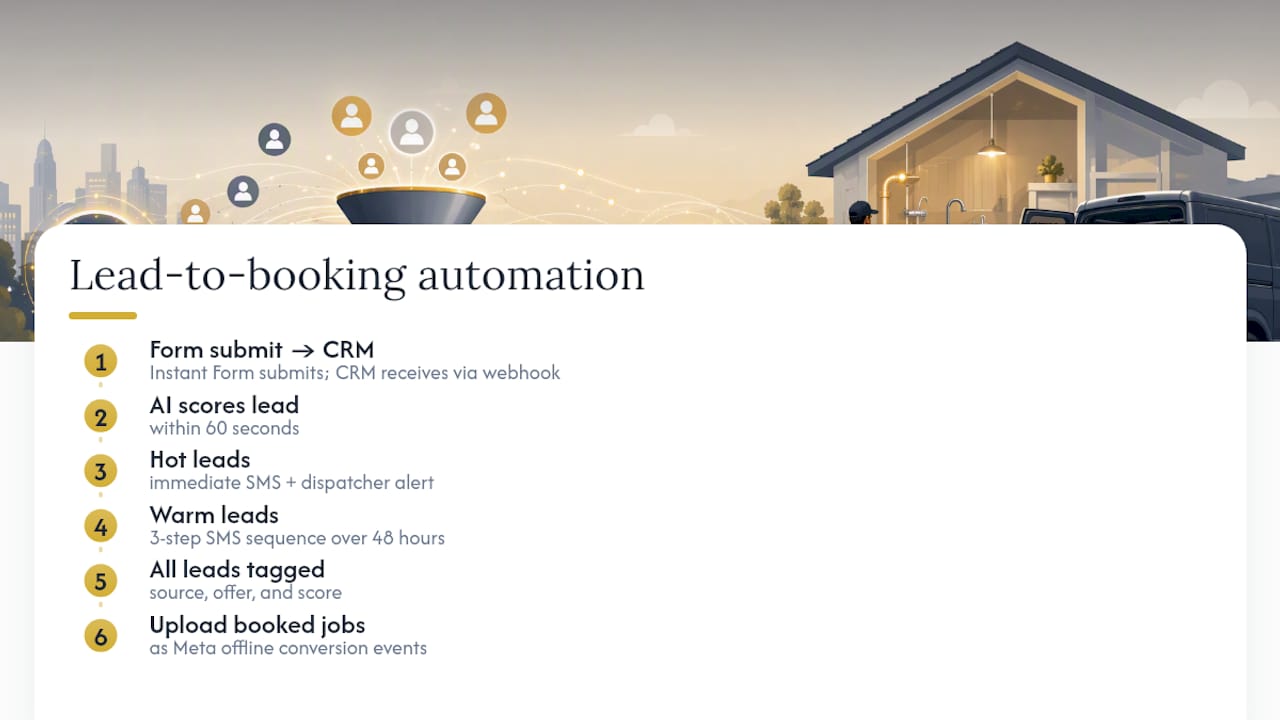
The automation sequence that converts Meta leads: Instant Form submits → CRM receives lead via webhook → AI scores lead within 60 seconds → hot leads trigger immediate SMS + dispatcher alert → warm leads enter a 3-step SMS sequence over 48 hours → all leads tagged with source, offer, and score → booked jobs uploaded to Meta as offline conversion events, closing the attribution loop.
On-premise hosting matters here because the AI models processing lead data and the customer records feeding them never leave your infrastructure. Third-party AI tools route your customer data through external servers you don't control. For plumbing businesses handling customer home addresses, payment history, and service records, that's a compliance and competitive risk worth taking seriously. Leapify Media's on-premise approach keeps that data under client custody.
AI-powered automation for plumbers is no longer a luxury for large operations. At the volume Meta campaigns generate, manual follow-up simply can't keep pace.
What Leapify Media sees working across plumbing Meta accounts
Two patterns show up consistently across plumbing accounts running Meta ads with proper tracking in place.
Lookalike audiences seeded from installed customers outperform interest-based targeting in almost every market tested. Interest targeting (homeowners, home improvement enthusiasts) is broad and noisy. A lookalike built from 500 actual water heater installation customers is specific in ways no interest stack can replicate. The algorithm finds people who look like your best customers, not people who clicked a home improvement article once.
The second pattern: accounts that implement CAPI plus offline event upload see measurable improvement in ROAS within 60–90 days of setup. Meta's algorithm learns which lead profiles become paying customers and shifts spend toward them. Accounts running pixel-only tracking optimize for form fills and often see CPL drop while CPBJ rises, because they're attracting cheaper, lower-intent leads. The fix is giving the algorithm the right signal.
Placeholder: detailed case study data and author credentials will be added as E-E-A-T assets are finalized for this publication.
Leapify Media handles the Meta ads so you can focus on the jobs
Plumbing businesses generating at least $500K annually and ready to scale past manual follow-up get the most from Leapify Media's full-service engagement. The scope covers everything from campaign audit and build to CAPI and CRM integration, AI lead scoring setup on-premise, creative production (video and static), and ongoing weekly optimization.

What a typical engagement delivers: a campaign structure built around your highest-margin offers, a tracking setup that measures booked jobs not form fills, an automated lead routing system that contacts new leads within minutes, and a reporting dashboard showing CPL, CPBJ, and ROAS in one view. No guessing which leads came from where.
If you're spending on Meta ads and not seeing booked jobs, the problem is almost always tracking, follow-up speed, or offer selection — all three of which Leapify Media addresses in the first 30 days. See what Leapify Media builds for home service operators and request a discovery call to review your current account.
Sources
The benchmarks and recommendations in this guide draw from the following sources:
One implementation note: never trust raw CPL numbers until your offline event upload is confirmed working in Meta Events Manager. CPL without booked-job data is a vanity metric.