

What are the best email marketing platforms for small business in 2026?
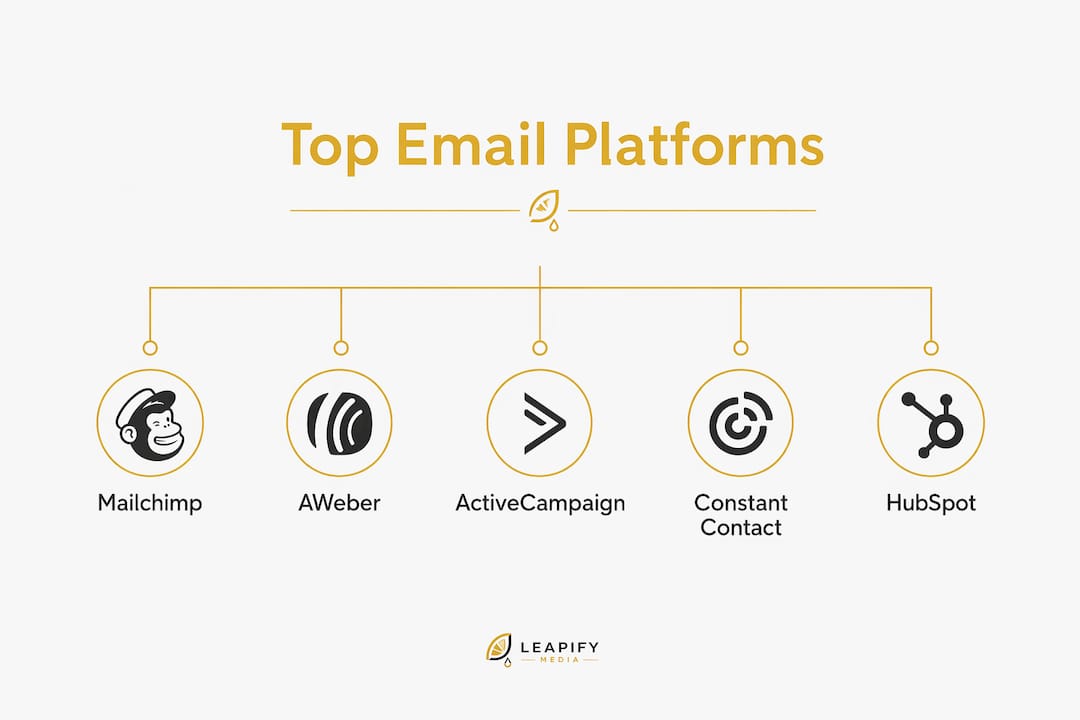
Mailchimp, AWeber, ActiveCampaign, and Constant Contact lead the pack for most small businesses in 2026. The right pick depends on whether you prioritize ease of use, automation depth, ecommerce fit, or all-in-one channel coverage. Here is the full comparison.
| Platform | Best For | Pricing | Key Features | Ease of Use | Automation | Free Trial |
|---|---|---|---|---|---|---|
| AWeber | Small businesses needing easy automation | Free starter plan available; launch promotion $79 | Email, landing pages, ecommerce, push notifications | Very easy | Strong | Free plan |
| HubSpot | CRM-integrated marketing and sales | Free tools; paid tiers vary | CRM, marketing, sales, service, AI (Breeze) | Moderate | Advanced | Free tools + demo |
| ActiveCampaign | Advanced automation and personalization | Custom (contact-based) | AI automation, SMS, customer journeys | Moderate | Very advanced | Demo + trial |
| Klaviyo | B2C consumer brands, omnichannel AI | Not publicly listed | Email, SMS, push, AI agents | Moderate | Very advanced | — |
| Mailchimp | Beginners and versatile SMB campaigns | Free plan; paid tiers | Drag-and-drop builder, 300+ templates, SMS | Very easy | Moderate | Free plan |
| Omnisend | Ecommerce email and SMS | Free plan; paid tiers | Email, SMS, push, AI segmentation, ecommerce integrations | Easy | Strong | Free plan |
| Campaign Monitor | Simple campaign creation and management | Not publicly listed | Templates, workflows, analytics | Very easy | Basic | — |
| GetResponse | Multifunctional SMB marketing | — | Email, automation, landing pages, webinars | Easy | Moderate | Free plan |
Ratings: AWeber has a 4.9-star rating from over 2,000 users, reflecting high user satisfaction. Other platforms generally receive moderate user ratings based on aggregated reviews.
Quick-scan differentiators:
- AWeber: Best free-to-paid upgrade path for solo operators and small shops
- Constant Contact: Strongest if you manage events, social, and email from one dashboard
- HubSpot: Only option that unifies CRM, sales pipeline, and email marketing natively
- ActiveCampaign: Go-to for advanced automation workflows and multi-step customer journeys
- Klaviyo: Built for consumer brands that want AI agents running campaigns autonomously
- Mailchimp: Widest template library; easiest onboarding for first-time senders
- Omnisend: Purpose-built for Shopify and direct-to-consumer ecommerce stores
- Campaign Monitor: Clean, no-fuss interface for teams that just want to send good emails
- GetResponse: Adds webinar and landing page tools most pure email platforms skip
How do these platforms compare on features, pricing, and automation?
AWeber's free starter plan covers the basics most new businesses need: email campaigns, a landing page builder, and ecommerce pages. Its promotional pricing brings the paid tier down sharply, which makes it one of the more accessible entry points in the market.

Constant Contact earns its "all-in-one" label. Beyond email, it handles SMS, social scheduling, event marketing, and AI-powered campaign creation. The Standard plan at $35/month unlocks stronger automation and reporting. Where it can frustrate users is design flexibility; if you want pixel-level control over layouts, other tools give you more room. The G2 and Trustpilot trust badges it displays are a genuine signal of enterprise-level vetting, not just a marketing claim.
HubSpot is in a different category than the others. Its free CRM connects directly to email campaigns, so every send is tied to a contact record, a deal stage, and a support ticket history. That depth is overkill for a business that only wants to send a weekly newsletter. For a growing service company managing leads and follow-ups, though, it removes the need for three separate tools.
ActiveCampaign's pricing scales with contact count, which keeps early costs low but can climb fast as your list grows. Its automation builder is the most sophisticated on this list, supporting branching logic, predictive sending, and AI-driven personalization. The learning curve is real. Budget a few days to get your first complex workflow right.

Klaviyo targets consumer brands specifically. Its AI agent "Composer" can build and launch campaigns without manual input, and its 24/7 AI customer service agent handles post-purchase queries. For a B2B service business, most of that firepower goes unused.
Mailchimp remains the most recognized name in the category, and its 300-plus template library and drag-and-drop builder still set the standard for ease of use. Its automation has improved, but it lags behind ActiveCampaign and Klaviyo for complex journeys. GetResponse adds webinar hosting and a website builder, which makes it genuinely multifunctional for coaches, course creators, and small ecommerce operators.
Omnisend's free plan supports up to 250 contacts and 500 emails per month, with AI-powered segmentation and ecommerce integrations built in from day one. Campaign Monitor keeps things simple: clean templates, straightforward workflows, and no feature overload.
How to choose the right email marketing platform for your small business
The biggest mistake small business owners make is choosing a platform based on feature count rather than lifecycle fit. Platform selection should start with the question: what does my business actually need to do with email right now, and in 12 months?
Key factors to weigh:
- Business type: Ecommerce stores benefit most from Omnisend or Klaviyo. Service businesses and B2B companies get more from HubSpot or ActiveCampaign. Generalists and beginners do well with Mailchimp or AWeber.
- Pricing model: Most platforms charge by contact count, not by emails sent. A list of 5,000 contacts costs more than a list of 500, regardless of how often you send. Understanding contact-based vs. volume-based pricing prevents sticker shock at renewal.
- Automation maturity: If you need a simple welcome sequence, any platform works. If you need branching journeys triggered by purchase behavior or CRM events, ActiveCampaign or HubSpot are the realistic options.
- Integration needs: Check whether the platform connects natively to your CRM, ecommerce cart, or booking system. A missing native integration usually means a paid Zapier bridge, which adds cost and failure points.
- Feature bloat risk: Constant Contact's social and event tools are genuinely useful if you use them. If you already have a dedicated social scheduler, paying for redundant channels adds cost without adding value.
Pro Tip: Many platforms charge for every contact on your list, including unsubscribed and inactive addresses. Clean your list every 90 days. Removing contacts who have not opened an email in six months can cut your monthly bill and improve your deliverability rate at the same time.
What features should you look for in an email marketing platform?
The features that actually move the needle for small businesses are fewer than most vendor pages suggest. Focus on these:
- Email builder and templates: A drag-and-drop builder with mobile-responsive templates saves hours per campaign. Mailchimp's 300-plus template library and AWeber's ecommerce-ready designs are strong benchmarks.
- Segmentation: The ability to split your list by behavior, purchase history, or location determines whether your campaigns feel personal or generic. Klaviyo and ActiveCampaign lead here.
- Automation triggers: Welcome sequences, abandoned cart reminders, and re-engagement flows should run without manual input. Omnisend handles these natively for ecommerce; HubSpot ties them to CRM pipeline stages.
- Analytics: Open rate, click rate, and conversion tracking tell you what is working. HubSpot's reporting goes deepest; Mailchimp's is the most accessible for beginners.
- Compliance tools: Every platform on this list includes CAN-SPAM compliance features like unsubscribe links and sender identification. GDPR compliance matters if any of your contacts are in the EU. Confirm the platform handles consent management and data deletion requests before you sign up.
- Deliverability infrastructure: Domain authentication via DKIM, SPF, and DMARC is set by you, not the platform. Every platform claims high inbox rates, but your sender reputation depends on your own technical setup.
Leapify Media offers a different path for home service businesses
Most email marketing platforms are built for retail, SaaS, or general SMBs. If you run a home service company, plumbing, HVAC, roofing, or landscaping, the standard email tool stack rarely fits how your leads actually move.

Leapify Media is built specifically for home service businesses that want to convert ad spend into booked jobs, not just open rates. Instead of a self-serve email tool, you get AI-powered lead dispatch, intent scoring, CRM setup and automation, Google Ads and Meta Ads management, local SEO, and custom video content production, all running on in-house engineered systems with on-premise servers. Client data stays proprietary. Leapify Media's partners have reported a 20x return on ad spend, a result that generic email platforms are not designed to produce on their own.
Key Takeaways
Mailchimp, AWeber, ActiveCampaign, and Constant Contact cover the needs of most small businesses, but the right platform depends entirely on your business type, list size, and automation requirements.
| Point | Details |
|---|---|
| Match platform to lifecycle stage | Startups do well with AWeber or Mailchimp; growing businesses with complex journeys need ActiveCampaign or HubSpot. |
| Pricing model matters more than sticker price | Contact-based pricing means list hygiene directly controls your monthly cost. |
| Automation depth varies widely | Basic welcome flows work on any platform; multi-step behavioral journeys require ActiveCampaign or HubSpot. |
| Deliverability is your responsibility | DKIM, SPF, and DMARC setup determines inbox placement, not the platform alone. |
| Leapify Media for home services | Home service businesses seeking booked jobs over open rates should consider Leapify Media's AI-powered marketing infrastructure. |
What most email marketing advice gets wrong
The standard recommendation is to pick the platform with the most features at the lowest price. That framing misses the actual problem most small business owners face: they choose a tool, set up a few campaigns, and then stop using half of what they paid for.
Feature bloat is a real budget drain. A platform that bundles social scheduling, SMS, event management, and AI content creation sounds like a deal until you realize you are paying for four tools and actively using one. Simplicity is underrated, especially in the first year of building an email program.
The other thing most guides skip is deliverability. Every platform markets its inbox placement rates, but domain authentication via DKIM, SPF, and DMARC is configured by the sender, not the platform. A business that skips that setup will see its campaigns land in spam regardless of which tool it pays for. Get the technical foundation right before worrying about subject line optimization.
Finally, contact list hygiene is the most overlooked cost control lever in email marketing. Most platforms charge by total contacts on record, including people who have not opened an email in a year. Pruning inactive contacts every quarter keeps costs predictable and actually improves deliverability by raising your engagement rate.